Table of Contents
Support Guide

Guide to Shape’s Lead Funnel & Conversion Reports

Tracking your lead flow and conversion performance shouldn’t require exporting spreadsheets or juggling third-party dashboards. Shape’s new lead funnel and conversion reports give you a powerful, visual overview of your sales pipeline performance—directly within your CRM.

These built-in reports help you understand your lead volume, conversion rates, user performance, and marketing ROI across time, source, geography, and more. No manual work required.This guide explains what LoanSifter is, how it connects with Shape, and how your team can start using it to quote faster and more confidently.

What’s Included in the Reports?

With Shape’s built-in funnel and performance reporting, you can now:Unlike static rate sheets or generic pricing tools, LoanSifter pulls dynamic pricing based on real-time market conditions and borrower-specific data. It also supports overlays and filters so you only see options your borrower actually qualifies for.

All reports include graphical summaries at the top and full data tables below for deeper exploration.

Where to Find the Reports

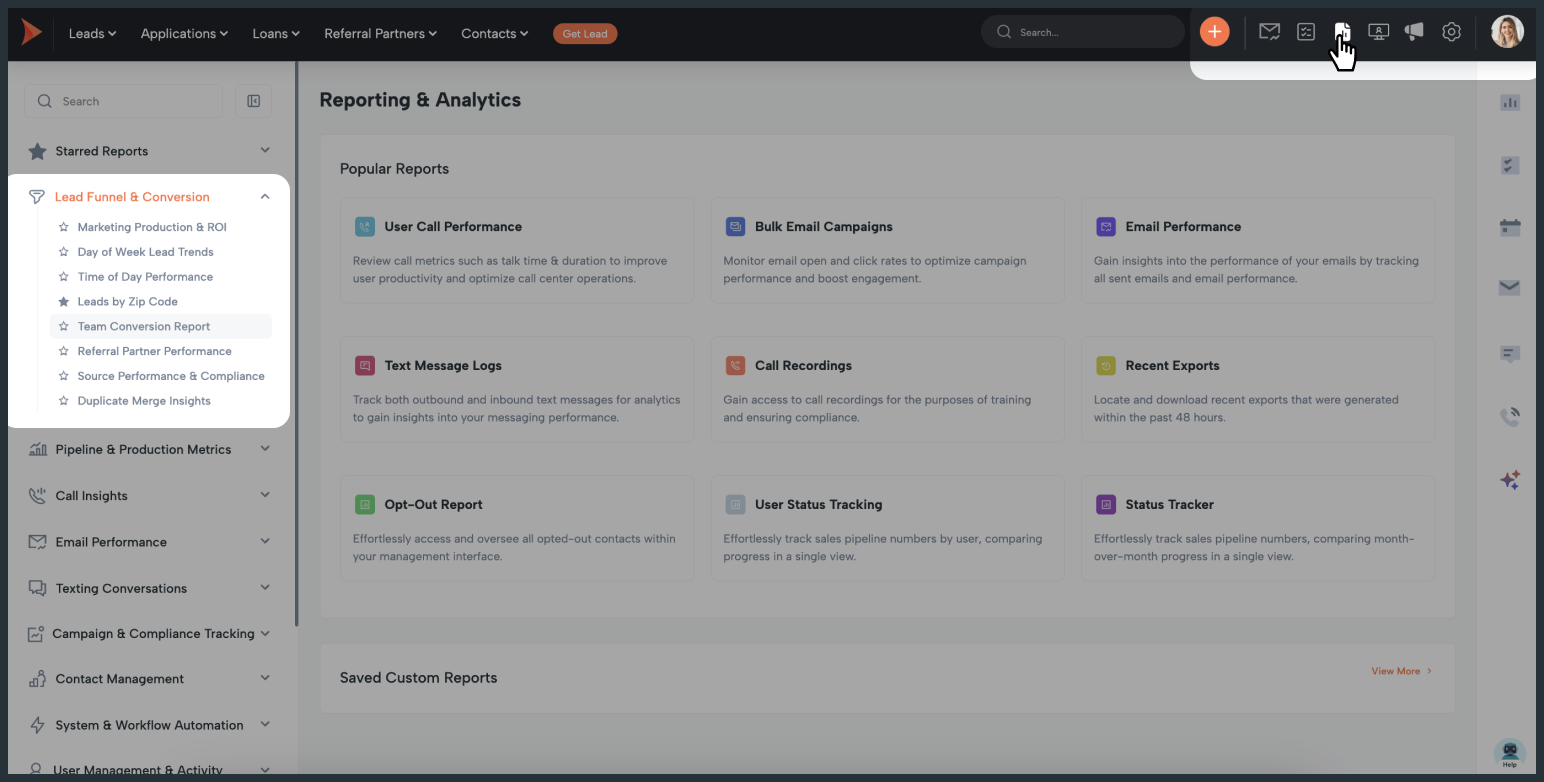
To access your new funnel and conversion insights:

Report Links & Descriptions

These reports give you a real-time view into how your leads are flowing through the funnel—by time, geography, user performance, and source activity.The CustomUI API integration is quick to activate and offers full access to the LoanSifter experience inside Shape.

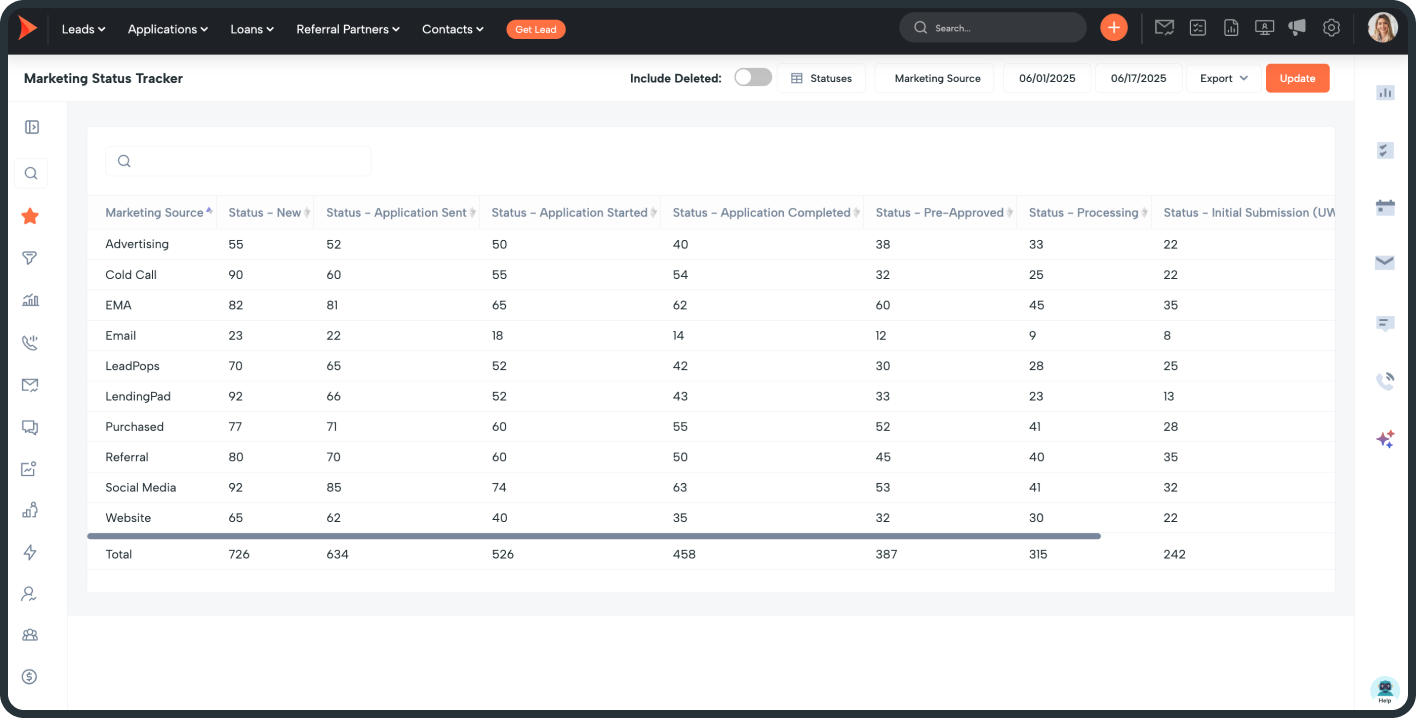
Marketing Source Funnel
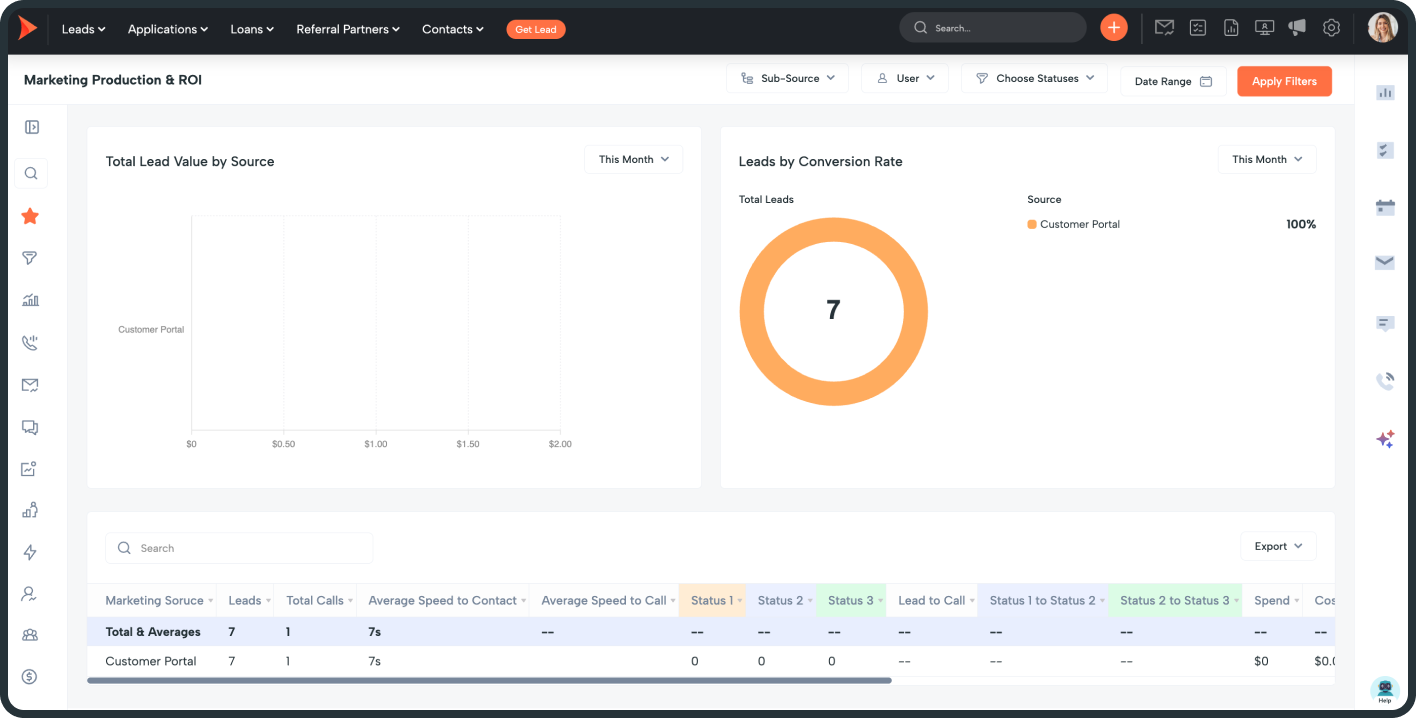
Track lead progression from creation through three custom status milestones by source

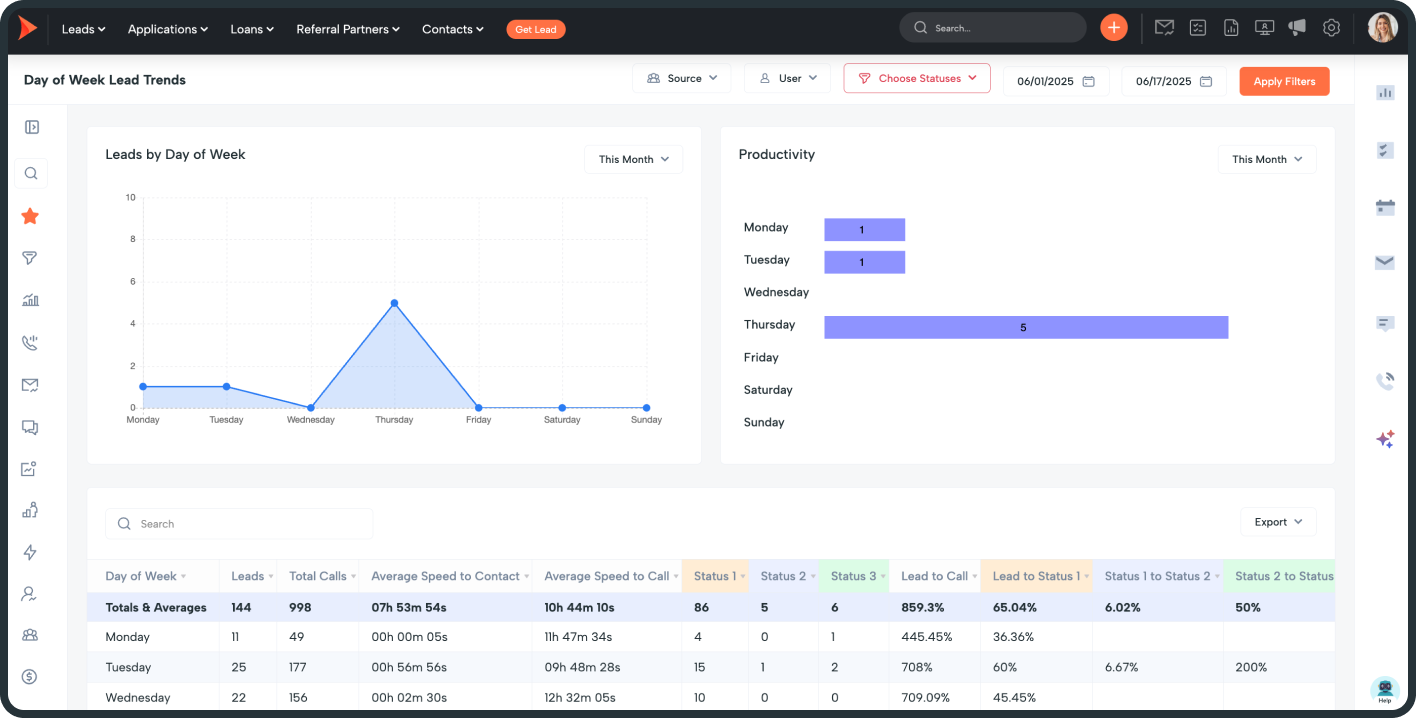
See which days of the week drive the most leads and engagement to optimize team productivity.

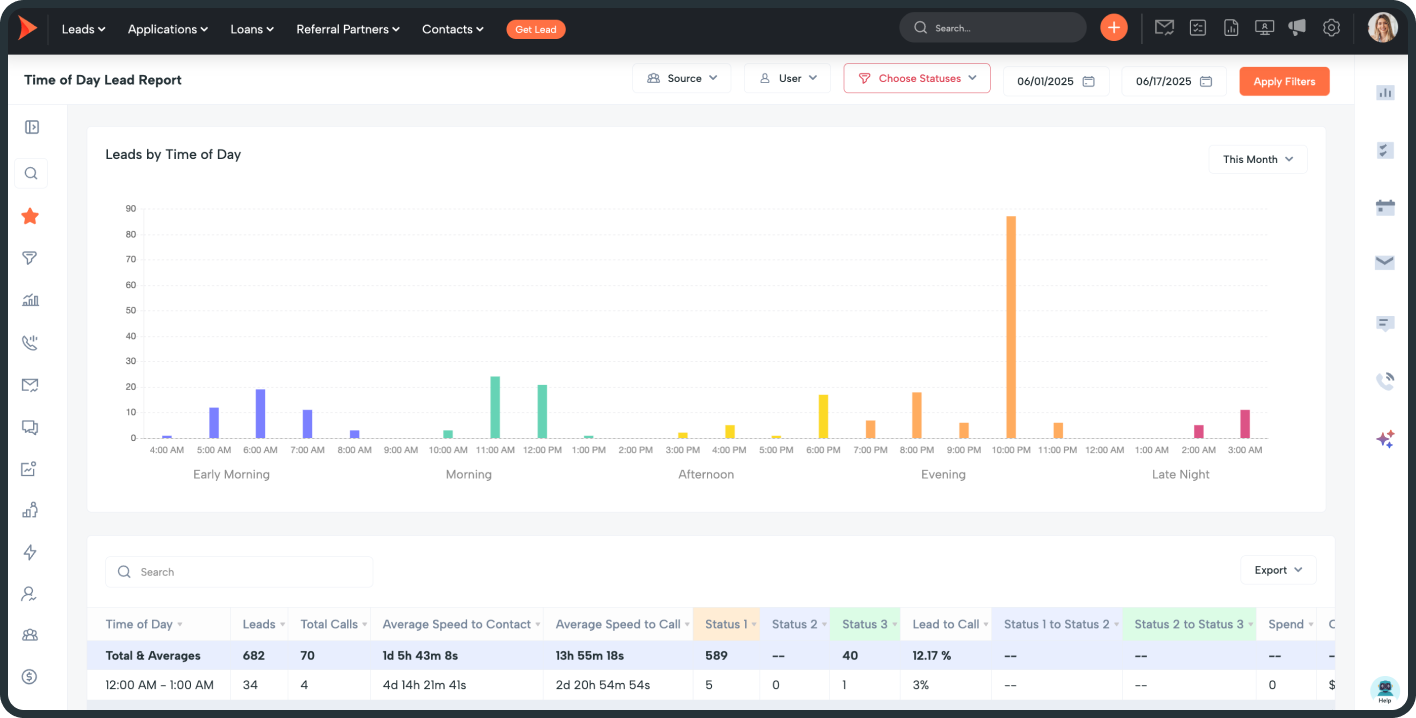
Analyze lead activity by time of day to identify the most productive hours for conversions.

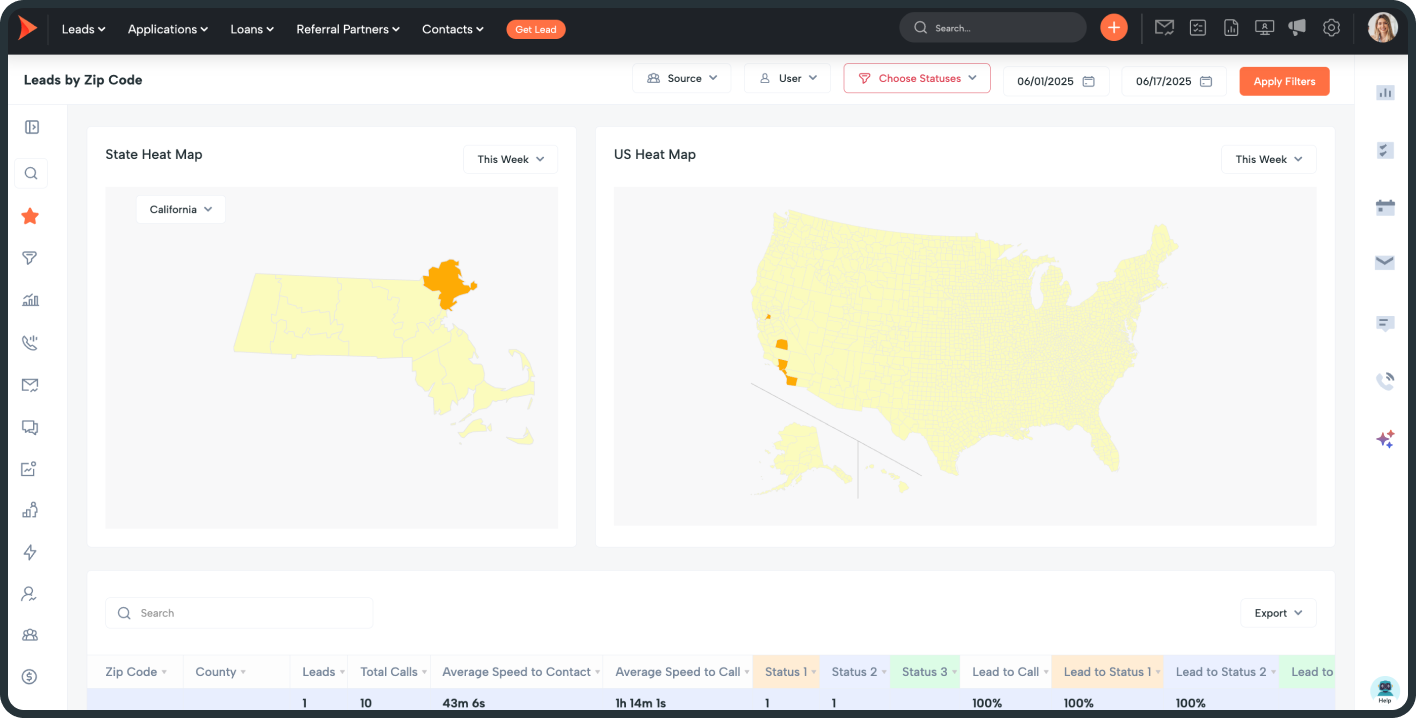
Track leads by state, county, and zip code to pinpoint high-performing areas.

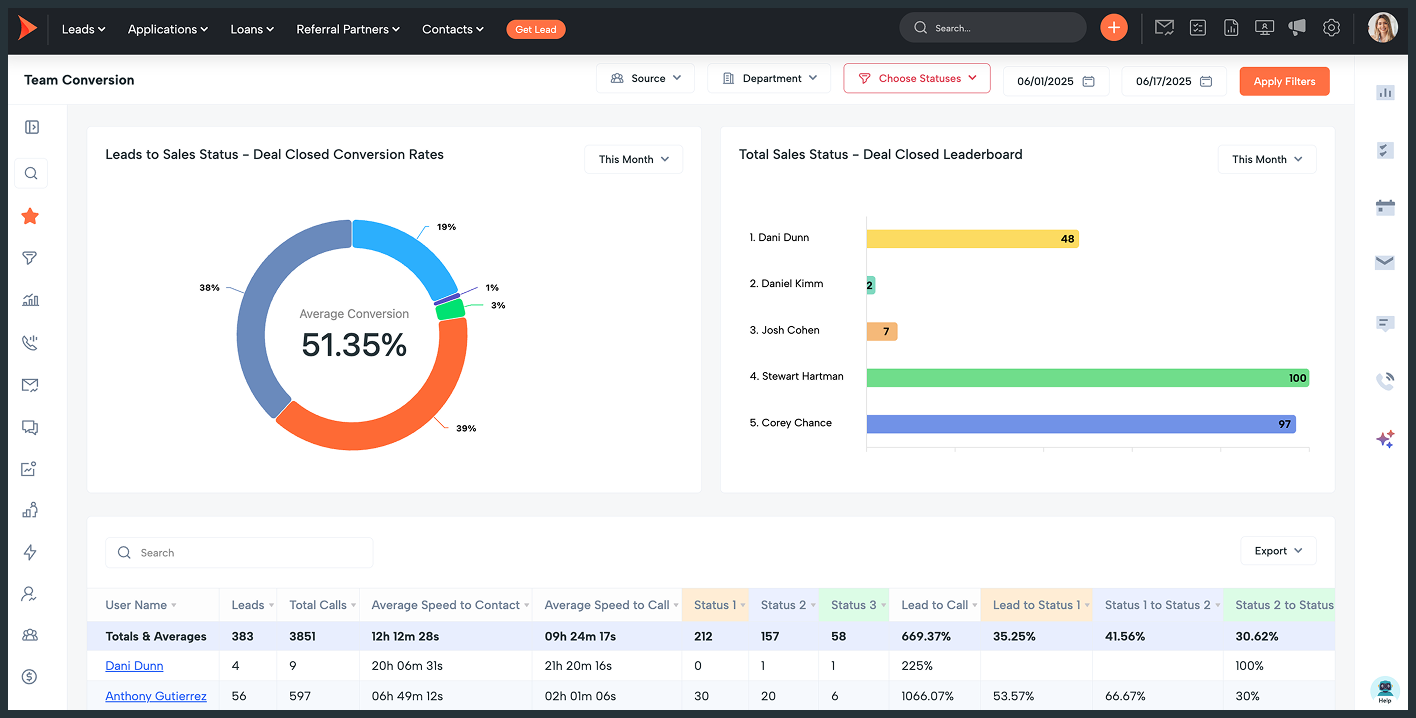
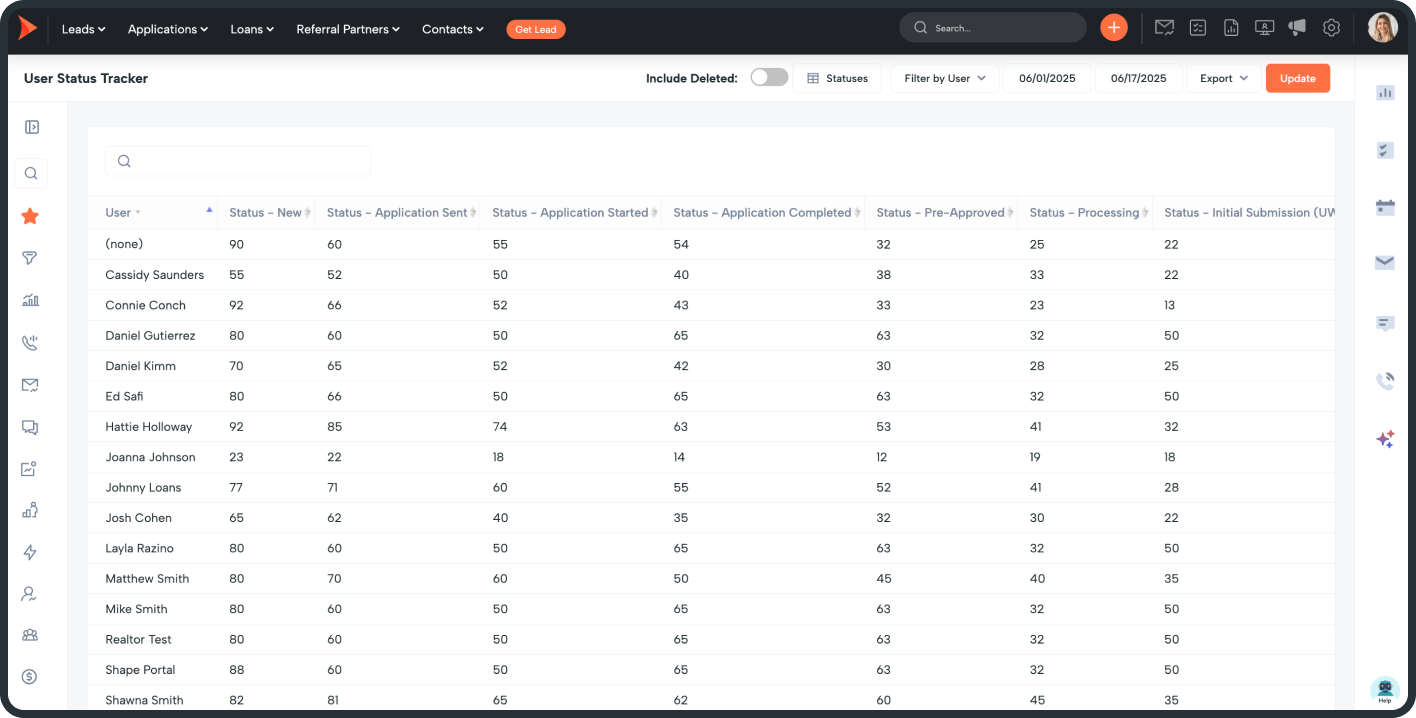
Evaluate team members' conversion rates and lead progression for actionable performance insights.

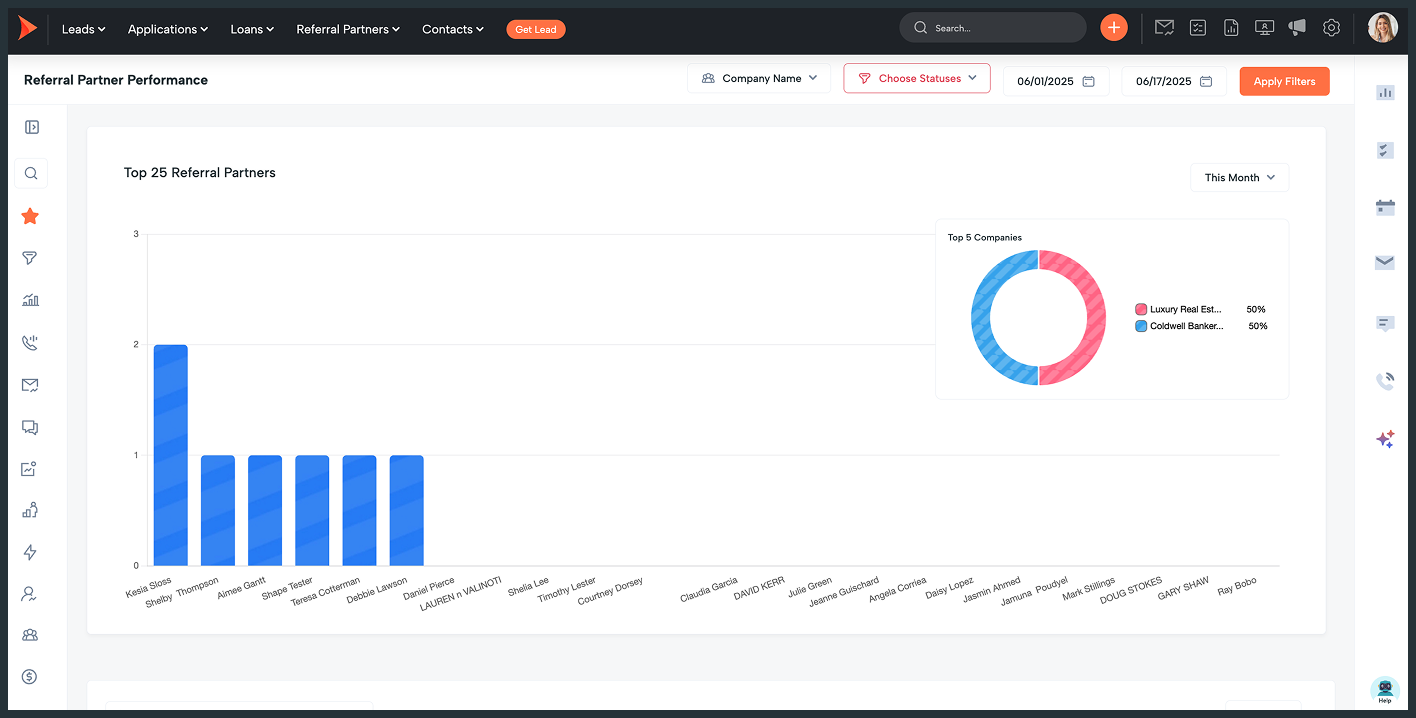
Identify top referral partners by lead volume and track conversions by status.

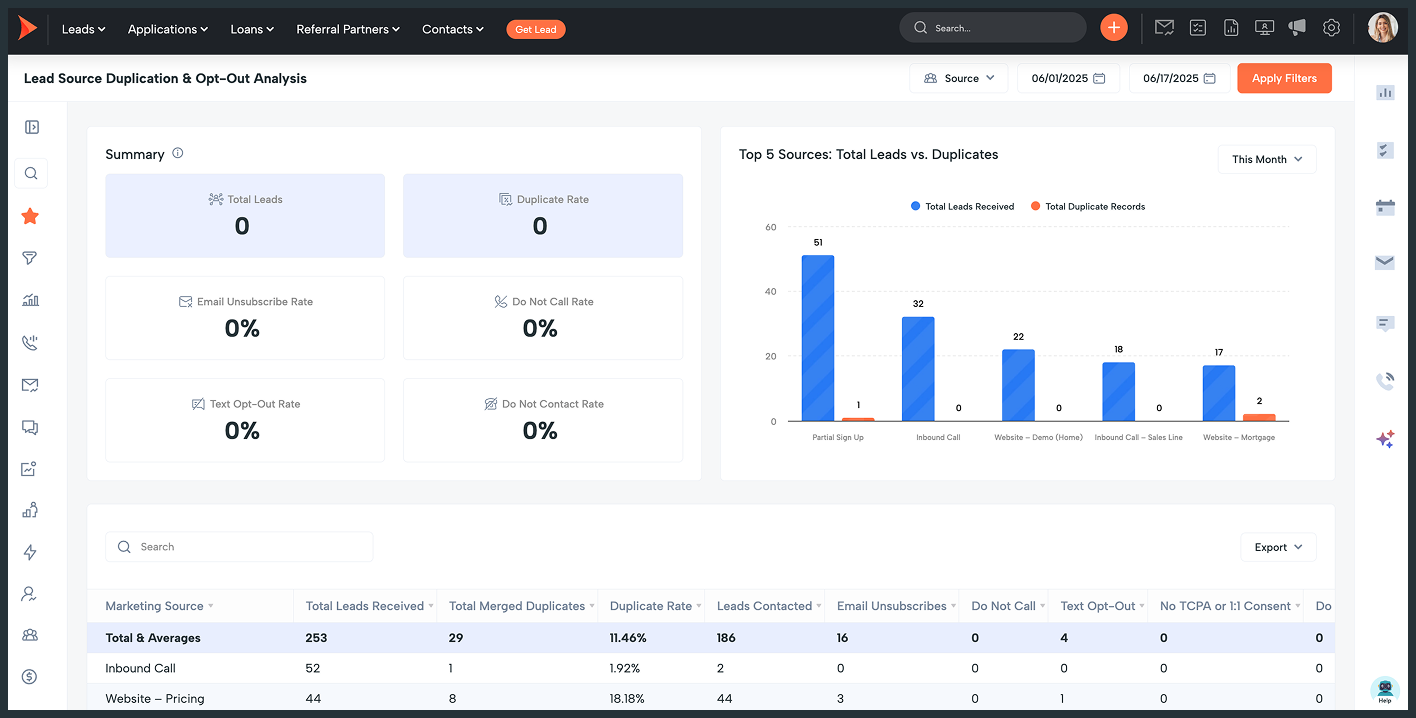
Get insights on total leads by source, duplicates, contact attempts, and opt-outs.

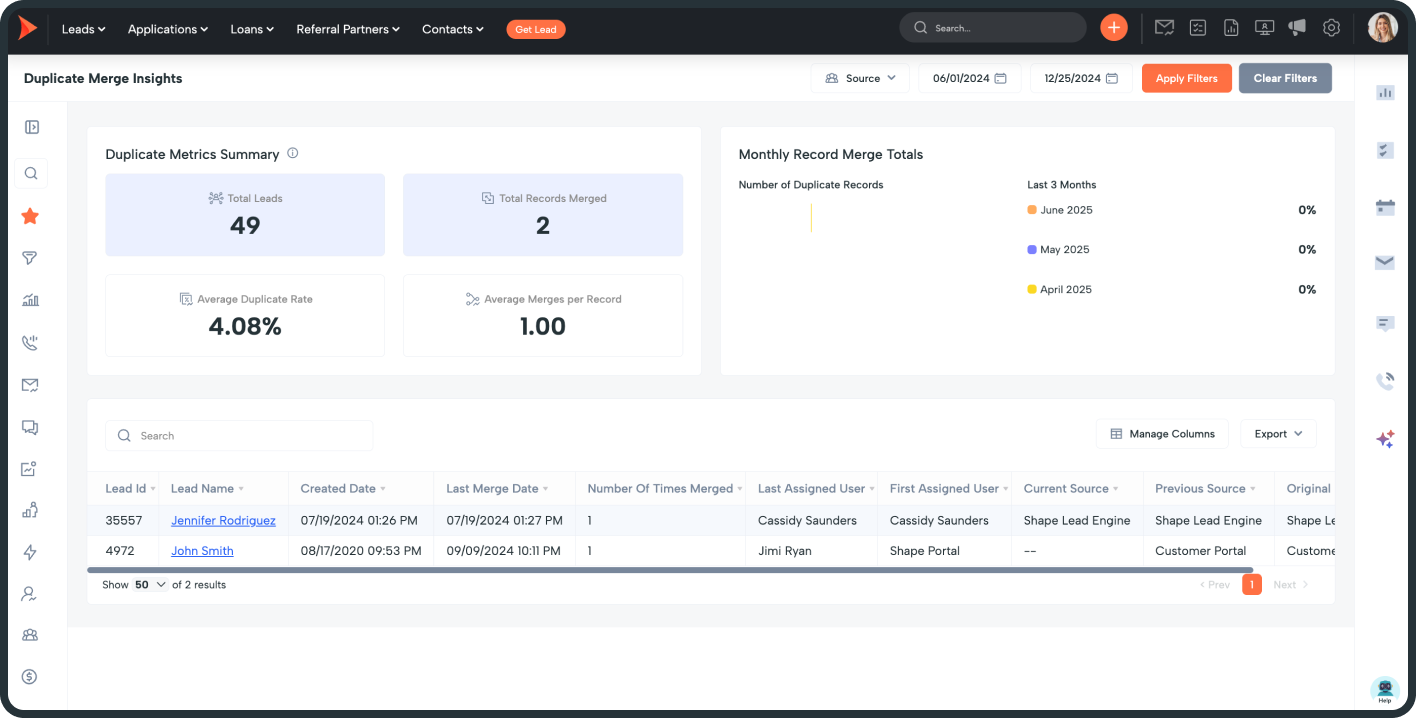
See all merged duplicates, including merge dates and original source details for tracking.

Looking for Monthly Production Instead?

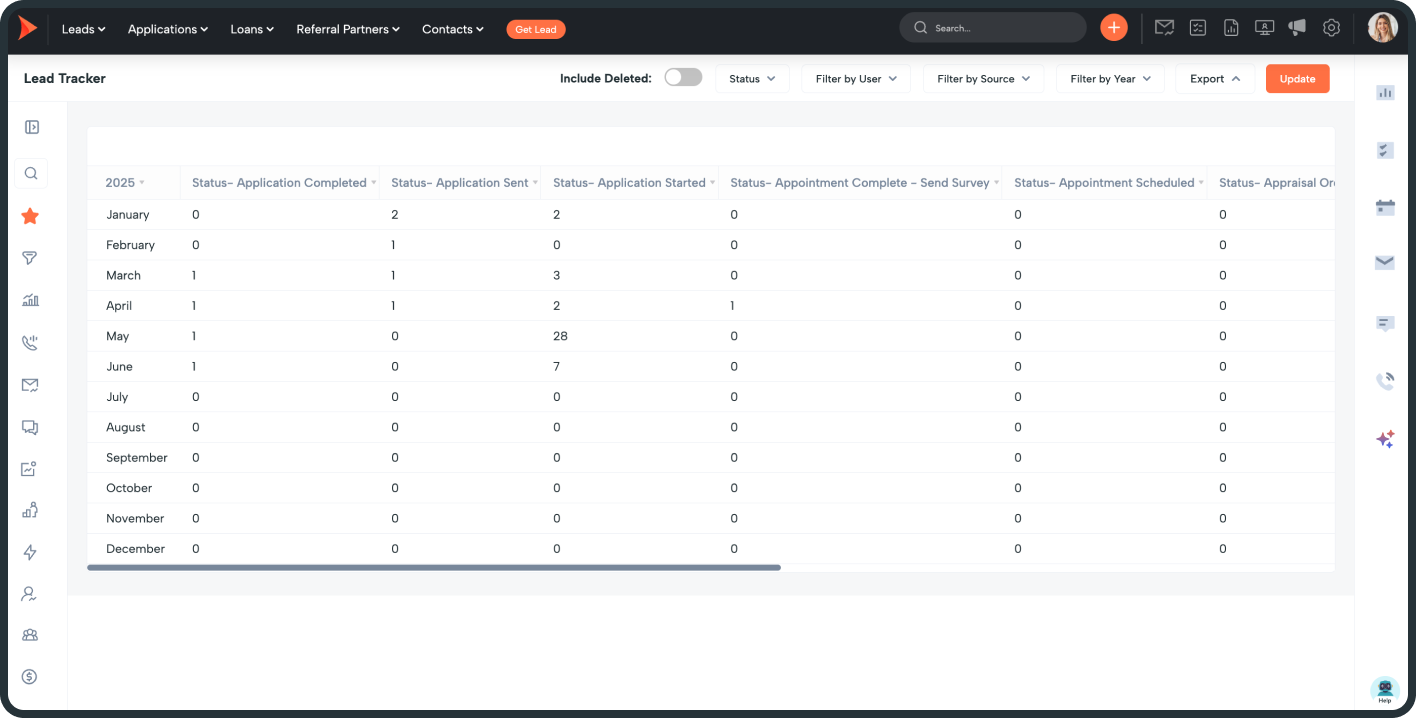
If you want to track conversions based on when a lead converted, rather than when it was created, check out these reports instead. They’re built to give you a view of actual production within a specific timeframe—regardless of lead creation date.

Lead Source Conversion Trends

Track how leads progress through key statuses based on their source to identify high-performing channels.

Monitor how assigned users move leads through statuses to measure productivity and effectiveness.

Analyze contact progression through key statuses month over month to track overall performance.

Why This Matters

With these new reports, you can:

No exporting, no custom dashboards—just built-in insights that give you the full picture.

Need Help?

If you’d like help setting up your three critical funnel statuses or want a walkthrough of the reports, reach out to your account manager or support team. We’ll help you get the most out of these tools.

Frequently asked questions

Do you have plans to choose from?
No! With Shape, you don’t need to decide between different product offerings. We believe that everyone should get the full featured, unlimited version of Shape to suit all of their business needs.
How do I contact customer support?

Yes! For a recurring task, we recommend using drip campaigns to create those. Simply add a step into the drip campaign for your task and continue adding them until you are satisfied with how long the tasks are created for.

Do I have to sign an annual contract?

Yes! For a recurring task, we recommend using drip campaigns to create those. Simply add a step into the drip campaign for your task and continue adding them until you are satisfied with how long the tasks are created for.

What payment types do you accept?

Yes! For a recurring task, we recommend using drip campaigns to create those. Simply add a step into the drip campaign for your task and continue adding them until you are satisfied with how long the tasks are created for.

What is a user, is there a minimum?

Yes! For a recurring task, we recommend using drip campaigns to create those. Simply add a step into the drip campaign for your task and continue adding them until you are satisfied with how long the tasks are created for.

What browsers are supported?

Yes! For a recurring task, we recommend using drip campaigns to create those. Simply add a step into the drip campaign for your task and continue adding them until you are satisfied with how long the tasks are created for.

Do you offer white label solutions?

Yes! For a recurring task, we recommend using drip campaigns to create those. Simply add a step into the drip campaign for your task and continue adding them until you are satisfied with how long the tasks are created for.

Keywords: notifications, manage notification templates, templates, deliverability, 10DLC, register, phone settings, increased odds, testing, SMS, MMS, long code, short code, A2P

get started shape software woman pointing

Still need help? Contact Shape experts!