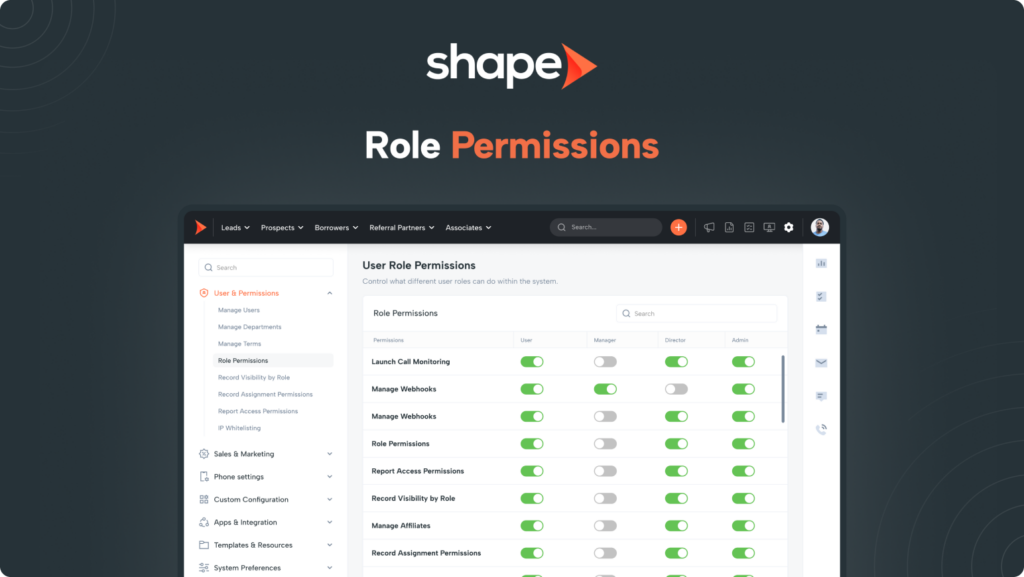
Shape comes out of the box set up for best practices in your industry but because not every company operates the same way, Shape gives you the ability to customize what each user role has access to manage in the system. Define what admins, managers and basic users are able to access and do on your system.
1. Go to Settings > Role Permissions
Navigate to Settings in the top navigation bar and you will find Role Permissions under “Users and Permissions.”
2. Use the check marks to define what permissions your user's have based on their role
Choose what admins, managers and basic users are able to access and do on your system by using the check boxes. A checked box means that that user role has access to that particular area of the system or settings page.
3. Finalize by clicking "Submit"
When you are happy with the changes, make sure you press “Submit” to apply the changes to your system.
Important Note: If a role is granted permission to a settings page, that provides them with Global permission to the page to make any edits or adjustments!
Frequently asked questions
Do I have to update these permissions for each user in my system?
No! The permissions given on this settings page will apply to all users in the role that you adjust. So if there are 10 “Managers”, then any adjustments you make to the Manager Role will apply to all.
Can I use this page to restrict record visibility?
This page is specific to restricting settings pages and permission and record visibility has it’s own settings page called Record