
Table of Contents
Support Guide
How to Integrate LoanSifter with Shape CRM for Real-Time Mortgage Pricing
-
Chloe Larson
In today’s mortgage market, speed and accuracy matter more than ever. The integration between Shape CRM and LoanSifter by Optimal Blue gives loan officers and brokers the ability to pull live, borrower-specific pricing directly into their CRM—without the delays or manual work of switching between systems.
This guide explains what LoanSifter is, how it connects with Shape, and how your team can start using it to quote faster and more confidently.
What Is LoanSifter?
LoanSifter is a web-based product and pricing engine (PPE) that provides instant access to investor-specific mortgage pricing, eligibility filters, and side-by-side product comparisons. Built for loan originators, it supports a wide range of loan types—including conventional, government, jumbo, and non-QM—and helps lenders price loans quickly and accurately.
Unlike static rate sheets or generic pricing tools, LoanSifter pulls dynamic pricing based on real-time market conditions and borrower-specific data. It also supports overlays and filters so you only see options your borrower actually qualifies for.
Mortgage professionals use LoanSifter to:
- Run borrower-specific pricing scenarios with speed and precision
- Compare loan products side-by-side to guide borrower conversations
- Filter out ineligible or unavailable programs using investor overlays
- Eliminate manual rate shopping with automated, up-to-date data
- Quote confidently with compliance-friendly, real-time pricing
Why Use LoanSifter Inside Shape Mortgage CRM?
Integrating LoanSifter with Shape CRM creates a more efficient quoting process by eliminating double entry and disconnected tools. With borrower data already in Shape, you can generate accurate quotes in seconds—without ever leaving the platform.
Key advantages include:
- View live pricing from LoanSifter directly inside Shape
- Speed up borrower response times with integrated quoting
- Save time by keeping your quoting and lead management in one place
- Support consistent workflows across your team
Integration Options
Option 1: Embedded LoanSifter via ShapeUI
This option uses ShapeUI to embed the full LoanSifter interface directly into a tab in Shape CRM. It’s ideal for teams who want a seamless, branded quoting experience and rely on high-volume workflows.
The CustomUI API integration is quick to activate and offers full access to the LoanSifter experience inside Shape.
Benefits:
- No extra tabs—everything lives in one place
- Better user experience and easier team training
- Custom branding and layout options
How to Set It Up:
- 1. Reach out to your Shape account manager or Shape Support to enable ShapeUI
- 2. We’ll help you embed LoanSifter and configure your custom tabs
- 3. Customize the CRM tab look and feel to match your internal workflow
Learn more about ShapeUI here: https://setshape.com/shapeui
Option 2: Native API Integration
The native API integration allows pricing scenarios to be saved directly within the lead record in Shape. It’s a great fit for teams who want a fast setup with minimal customization while still preserving access to previous pricing history.
Benefits:
- Simple and fast to set up
- Automatically saves pricing results to each lead record
- Keeps all pricing scenarios organized and accessible
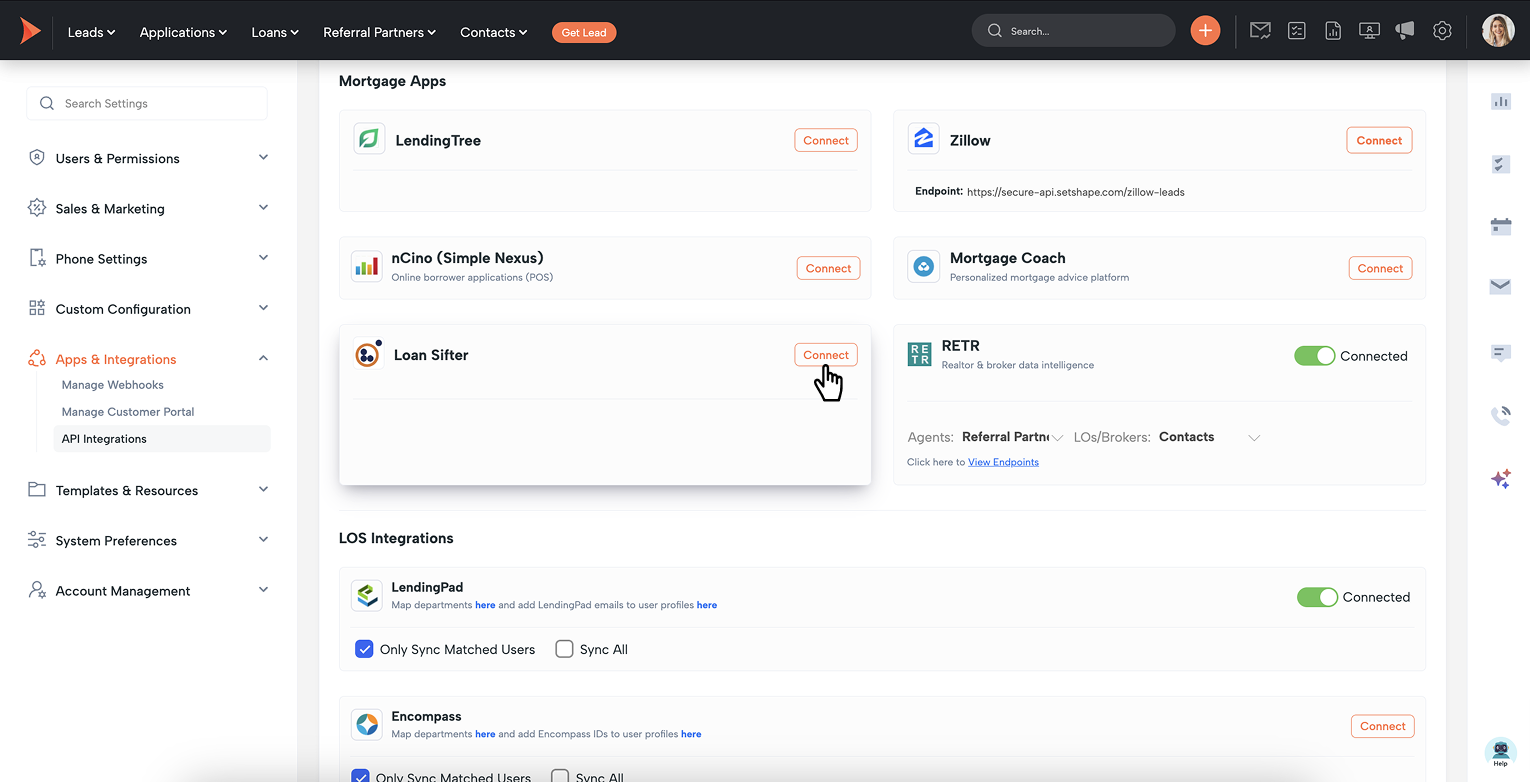
How to Set It Up:
- 1. Log into Shape and go to Settings > API Integrations
- 2. Find LoanSifter and click Connect
- 3. Enter your active LoanSifter credentials
- 4. Assign access to team members via Manage Users
- 5. Enable the Pricing tab in Manage Departments
Pro Tip: You can also mention other users in your created tasks! This will assign the mentioned user to the task and notify them via email with the details of the task.
Use Cases for LoanSifter + Shape
This integration is especially useful for:
- Brokers and LOs comparing multiple programs for complex borrower profiles
- High-volume teams who need to respond to borrowers quickly
- Companies standardizing how loan pricing is quoted and documented
- Lenders offering a wide variety of loan programs and needing centralized tools
Before You Get Started
Make sure the following is in place:
- An active LoanSifter account with valid login credentials
- A decision on whether to use the embedded UI or API integration
- Proper user roles assigned in Shape to control pricing access
- A point of contact ready to coordinate setup with your Shape representative
Activate the Integration
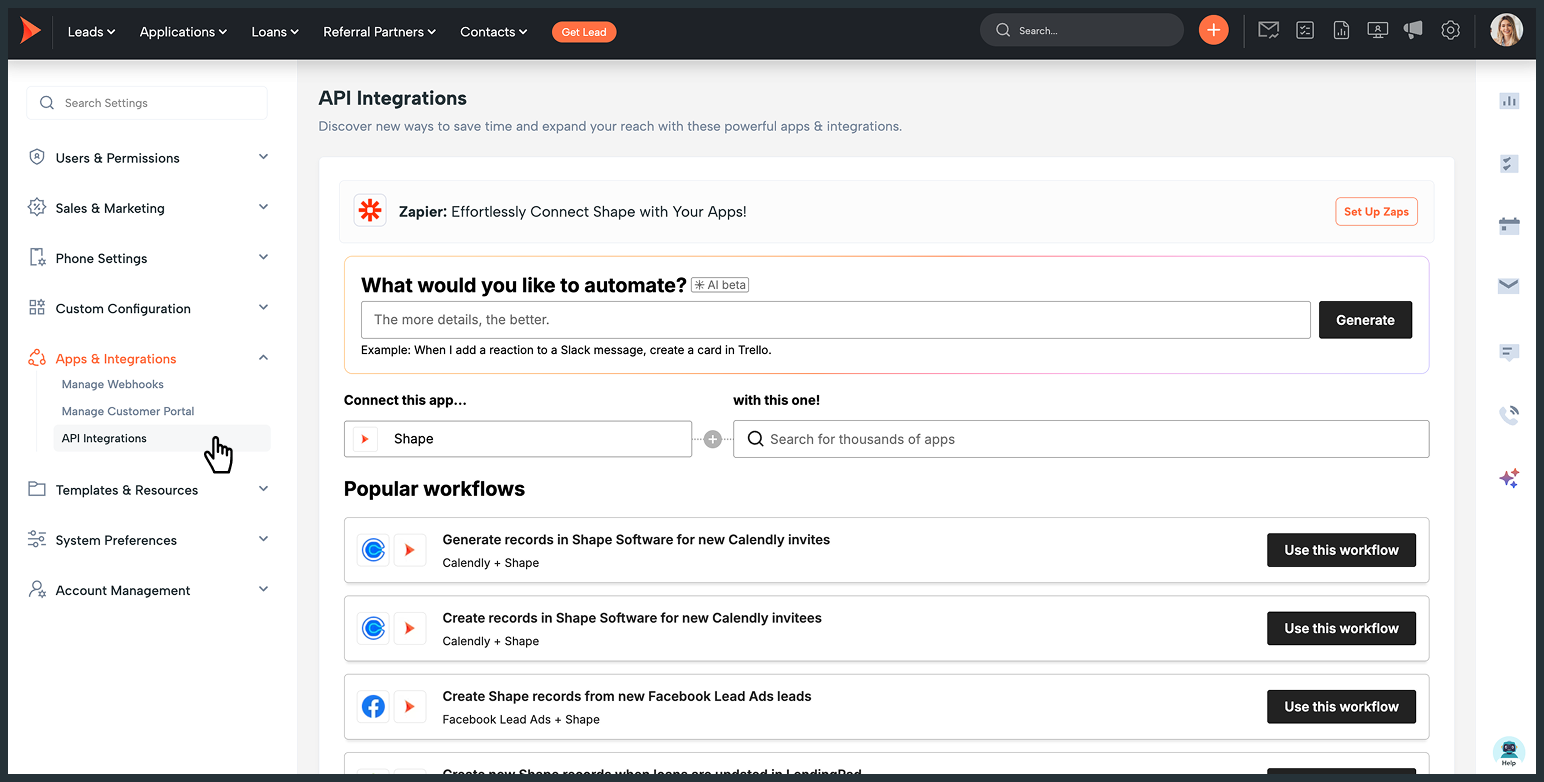
To get started, either:
- Log into Shape CRM and visit Settings > API Integrations, or
- Contact your Shape account manager for assistance enabling or embedding the integration
Final Thoughts
LoanSifter’s integration with Shape CRM gives mortgage teams a faster, more reliable way to quote loans. With real-time pricing, borrower-specific filters, and a clean workflow directly inside the CRM, your team can move quickly, quote confidently, and keep deals on track.
Whether you're a solo originator or managing a national team, this integration helps you cut down on manual work and focus more on winning business.
Frequently asked questions
Keywords: notifications, manage notification templates, templates, deliverability, 10DLC, register, phone settings, increased odds, testing, SMS, MMS, long code, short code, A2P