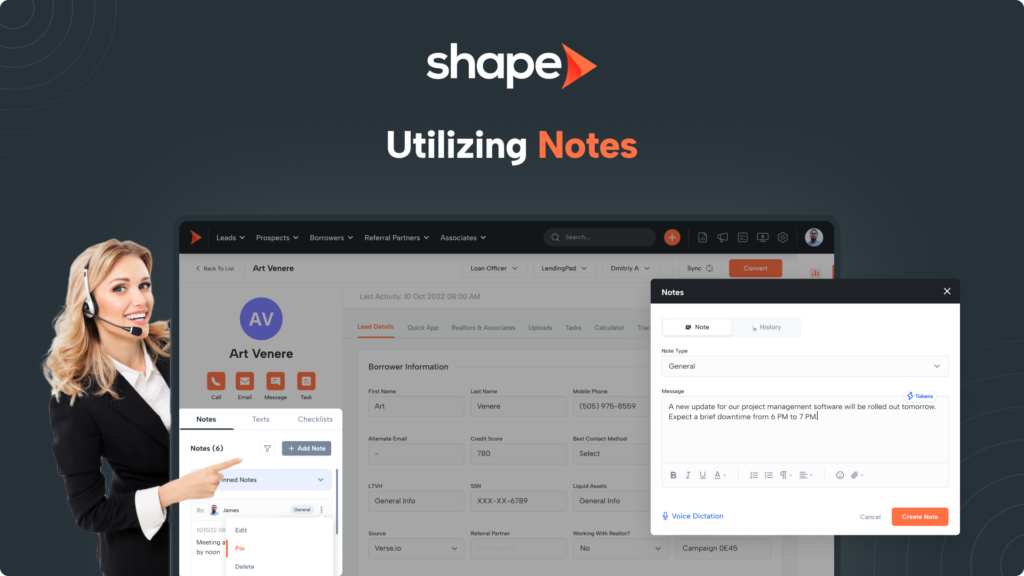
Taking notes in Shape is very straightforward and can be done from multiple locations in the system. This ensures you are able to leave important information for not only yourself, but any team members as well.
Shape contains convenient features for efficient note taking including voice dictation, full note history, adjustable note types, pinned notes, and even leaving notes for your partners in their Partner Portal via our Point of Sale product.
Those using the Google Chrome Browser will find a microphone icon when leaving a note that is used for voice dictation.
Most of us can talk a lot faster than we can type and voice dictation allows you to speak your note and let Shape convert your speech to text.
Click the Microphone Icon to start recording and click the “Stop” icon when you are done.

In Shape you have the ability to pin important notes at the top of the Notes history! This allows important information to be displayed right at the top of the view to eliminate the need to filter or scroll through old notes.
Simply click the “…” icon and select “Pin Note” to Pin your note at the top of the view. A new section will appear containing all of the pinned notes for that record.
Shape's Partner Portal is a free CRM lite that comes with our Point of Sale product for your applications. The Partner Portal sends an invitation to your partners automatically with their log in credentials once they are linked to a lead within Shape
When leaving notes in Shape, you can mark the note with the "Partner" note type to have that note appear in the Partner's Portal. Conversely, the partner can also leave notes in their portal and have those appear in your CRM within the lead!
To learn more, reference our guide on the partner portal linked here: https://setshape.com/support-guides/mortgage-pos-for-referral-partners-associates
Changing templates will take time and may require a template change fee.
Not sure what to choose? Contact us.