Blog

Top 6 Best Email Marketing Automation Software In 2024

In today’s digitized age, the evolution of email communication is paramount. The tried-and-tested email is no longer a tool for simply sending periodic newsletters or transactional messages; it’s now a sophisticated medium to nurture leads, engage customers, and drive conversions. As we venture into 2024, email automation software is at the forefront of this transformation, promising businesses the power to create personalized, timely, and impactful interactions at scale. In this complex landscape, choosing the right email automation software can mean the difference between mediocre campaigns and game-changing results. Join us as we dissect the top 6 email automation platforms of 2024 and evaluate their features, integrations, USPs and much much more.

Active Campaign Logo
ActiveCampaign
Robust automation tool for streamlining complex workflows
$29-149+/mo
Has several pricing tiers, the highest is on quotation
  • 800+ pre-built automations
  • Tag based segmentation
  • Customer engagement scoring
  • 900+ integrations

Top Choice

shape logo color
Shape
Most powerful all-in one email marketing automation tool
$119/user/mo
Fixed pricing plan
  • Best-in-class email marketing templates
  • Built-in HTML
  • Free Content Exchange
  • Mass email blasts
Campaign Monitor
Feature rich automation tool for small businesses
$11-149/mo
hree main pricing tiers, from Lite ($11) to Premier ($149)
  • Automated custom email templates
  • Built-in spam testing feature
  • Pay per campaign
  • 250+ Integrations
1

5 essential email automation CRM software features

We believe there are five pivotal features you must prioritize to ensure your chosen email automation software not only aligns with your goals but propels you to new heights:

  • Powerful and flexible email designer: The heart of every compelling email campaign is its design. Evaluate the intuitiveness and robustness of the platform’s email designer. Does it offer drag-and-drop functionality? Does it provide support for uploading HTML emails? Can you effortlessly integrate visuals, media, and call-to-action buttons without needing advanced technical knowledge?
  • Diverse email templates & HTML support: A diverse and adaptable template library is a massive pro. Delve into the number of templates offered. More than sheer numbers, focus on the flexibility provided. Can they be tailored to suit different campaign needs, from newsletters to product launches to thank you mails? Can you upload your own HTML templates?
  • User-friendly interface: A platform can have all the bells and whistles, but if it’s cumbersome to navigate, it becomes counterproductive. Seek email automation software that prioritizes user experience, offering a streamlined and intuitive dashboard.
  • Sales-focused automation: For businesses with sales teams, it’s essential that the platform can seamlessly handle sales-driven campaigns. Explore its capabilities to support lead generation, lead nurturing, follow-ups, and conversions.
  • Dynamic content & segmentation: The magic of modern email campaigns lies in personalization. The software should offer dynamic content capabilities, adjusting emails based on customer behavior, preferences, or past interactions. Coupled with this, powerful segmentation tools are a must. Can the platform categorize your audience into mailing lists based on criteria like demographics, purchase history, engagement rates, or custom data using custom fields – all this will ensure each email is hyper-targeted and relevant.

5 ways to utilize email automation apps

Looking for some inspiration for how you might be going about using these features? We’ve got you covered, here are our top 5 ways (with examples) to utilize email automation software and take your business comms up a gear.

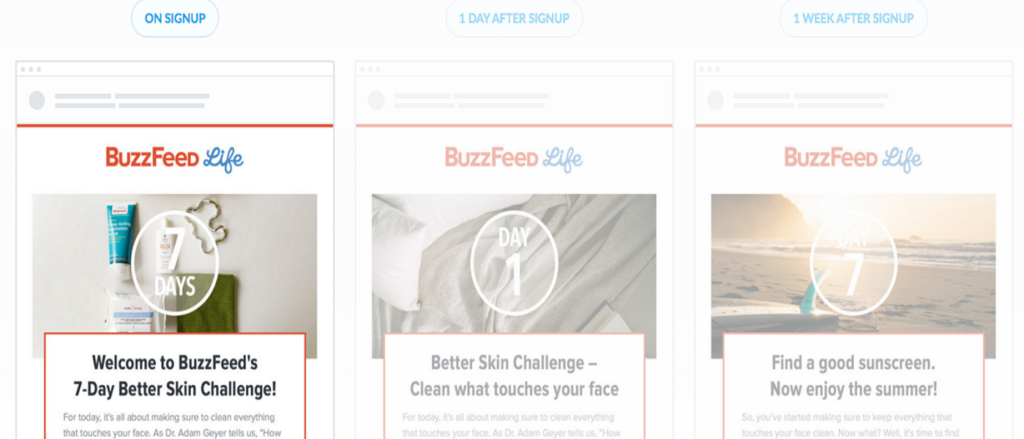
  • Personalized customer journeys: Modern businesses no longer rely on one-size-fits-all campaigns. Instead, they’re curating personalized email sequences, driven by a recipient’s interactions. For example, a new subscriber who’s shown interest in vegan products on an eCommerce site receives a series of emails detailing the benefits of veganism, followed by spotlighted vegan products and finally, exclusive discount codes for vegan items.
  • Abandoned cart/journey recovery: By recognizing incomplete transactions, businesses are bridging the conversion gap using strategically timed cart emails. For example, a shopper adds a pair of sneakers to their cart but exits the site without purchasing. Within an hour, they receive an email with a visual reminder of the product, followed by another email 24 hours later offering a 10% discount to complete the purchase.
  • Data-driven recommendations: AI-enhanced email automation software solutions make astute predictions, offering subscribers content or products that align with their tastes. For example, after purchasing a coffee machine from an online store, their inbox receives an email showcasing top-rated coffee beans or sustainable coffee pods, encouraging a complementary purchase.
  • Lifecycle milestone celebrations: Recognizing and celebrating customer loyalty or specific milestones boosts engagement and fosters a deeper brand connection. For example, on the anniversary of a user joining a fitness app, an automated email is dispatched offering them a complimentary virtual class or a discount on premium subscription tiers as a thank-you gesture.
  • Automated feedback and surveys: Post-interaction feedback is invaluable, and automated emails ensure this data is captured without manual intervention. For example, after attending a webinar on digital marketing, participants receive an email with a quick feedback form. Their responses then trigger tailored email sequences; satisfied attendees are prompted to sign up for an advanced course, while those who found the content basic are introduced to more foundational resources.

Now you understand how to get the most out of email automation as a marketing and sales strategy, let’s jump into the best email marketing automation tools on the market for this very purpose.

Quick comparison of top email marketing automation tools

SoftwareIntro PriceDifferentiator
Shape$119 Most powerful all-in one CRM with a comprehensive suite of marketing tools
Active Campaign$29Powerful Automation workflow builder with many options to support even the most complex scenarios
Campaign Monitor$11The automated email template builder creates custom templates using your branding for a truly personalized customer experience
Klaviyo$0A specialized email marketing automation software for the ecommerce sector with dedicated features like product feeds
MailChimp$0An affordable email marketing tool with a generous free plan for teams on a tight budget
HubSpot$0A comprehensive marketing automation platform for B2B teams with integrated sales tools

Our top 6 best email automation software options are:

  1. Shape
  2. ActiveCampaign
  3. Campaign Monitor
  4. Klaviyo
  5. MailChimp
  6. HubSpot

1. Shape

Founded: 1999
HQ: Irvine, California, United States

Key Info

Price: $119/user/mo
Free plan: No
Support: 24/7 (In-product support + email)

Best For

Businesses looking for a comprehensive omni-channel communications automation suite

Pros

+ Straight forward and effective marketing automation tool
+ Automates critical tasks like follow-up ensuring no opportunity is lost
+ Comprehensive reporting tools

Cons

– Steep learning curve
– Limited customer support channels

Integrations

Outlook, Gmail, Quickbooks, Zapier, Calendly, and many more

Pricing Model

Fixed pricing plan

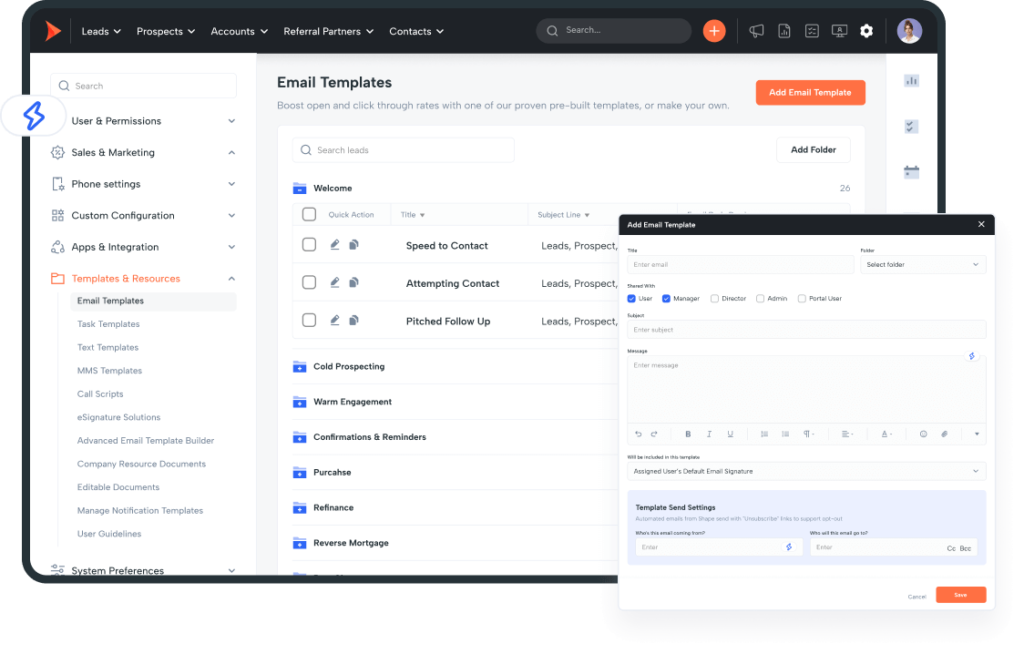
Shape’s email automation platform positions itself as a top-tier all-in-one solution, making it an ideal choice for businesses seeking high-powered email automation with an integrated CRM system. Built with features such as bulk emails, status-based triggers, automation workflows, and a comprehensive template library, Shape acts as a substantial toolbox for your business’s email automation needs.

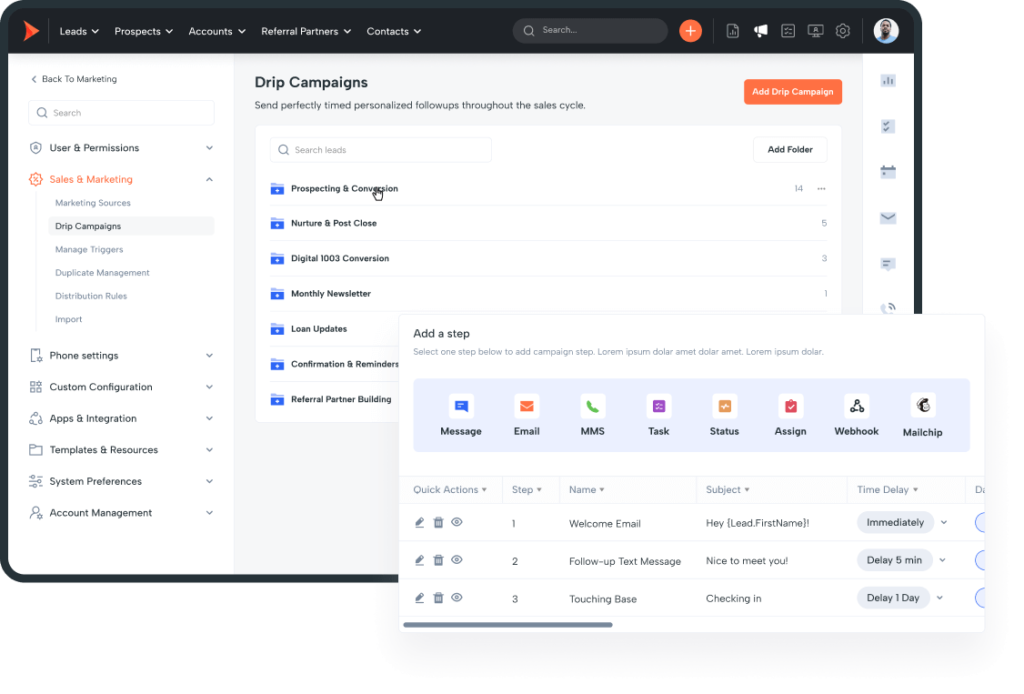
Shape’s user-friendly approach is evident in its provision of easily executed drip campaigns, which can be auto-sent based on any one of 19 actions such as record status, user assignment, calendar details, or on specific dates. This flexibility allows for more precise, action-driven communication with customers or subscribers.

This platform prides itself on its breadth of readily available templates. Furthermore, for those who prefer a more customized approach, Shape’s advanced email template builder enables the crafting of responsive HTML templates. This results in beautifully designed emails tailored to your specific business requirements.

Beyond traditional automation capabilities, Shape innovatively employs Artificial Intelligence through ShapeAI. This advanced technology assists in writing emails and creating subject lines that have demonstrated an increased conversion rate of over 30% compared to standard messages. This engagement-boosting feature enhances your customer communication effectiveness, increasing response rates.

Proper email delivery is key in maintaining credibility, minimizing potential issues tied to spam, and increasing open rates. Shape platform has dedicated email servers. This ensures your emails bypass spam filters and your email deliverability rate is maximized.

For businesses managing multiple branches or brokers, Shape allows for separate brokerages and branches under a single account. Each branch gets your business’s full suite of Shape services with the capability to keep track of individual branch statistics. This centralized management makes it easier to oversee and manage various facets of your company.

Coupled with diligent customer support, the platform guarantees consistent backing from the Shape support team. This helps users get the most of the provided resources and minimizes any possible roadblocks along the email automation journey.

Shape even offers a seamless integration partnership with SendGrid, an industry leader in the email deliverability space. This further reinforces and assures the successful email delivery.

In summary, Shape’s email automation software emerges as an efficient, comprehensive, and user-friendly choice. Adorned with a suite of useful features, robust AI technology, and dedicated customer support, Shape offers a potent solution for businesses aiming to maximize email marketing impact.

2. ActiveCampaign

Founded: 2003
HQ: Chicago, Illinois, USA

Key Info

Price: $29+
Free plan: No; Trial: 14 days
Support: Phone, email, & chat

Best For

Businesses with complex workflows looking to streamline their email marketing efforts

Pros

+ The visual workflow builder makes it easy to setup even complex email automations
+ Has a large collection of templates for both B2B and B2C teams
+ The combination of segmentation and A/B testing features proves powerful in personalizing content

Cons

– The costs can add up quickly as many features are available only in higher priced plans
– Forms are not easy to manage and lack some functionality like conditional logic
– Reporting needs improvement

Integrations

Salesforce, Accounting Suite, Xero, Quickbooks, and 900+ more

Pricing Model

Lite: $29/month
Plus: $49/month
Professional: $149/month
Enterprise: On quote

1

ActiveCampaign offers a robust approach to email automation, and its loaded features are a testament to this. You’ll find a user-friendly drag-and-drop email builder, hundreds of email and automation templates, a versatile landing page builder, powerful segmentation capabilities, an intuitive automation workflow builder, A/B testing functionality, and much more.

These features work together to enhance your marketing campaigns and keep your audience engaged. The drag-and-drop email builder helps you effortlessly craft visually appealing emails. You can complement it with dedicated landing pages using the software’s landing page builder.

However, creating visually appealing campaigns alone is not enough to prompt your audience to take desired actions, your messages have to deeply resonate with them. If your target audience is diverse, you need to segment them to effectively personalize your content. ActiveCampaign’s segmentation capabilities streamline this process by organizing your contacts into lists.

Starting a message with a customer’s name no longer counts as effective personalization. To truly engage your subscribers, your copy has to address their individual pain points and concerns.

Thanks to ActiveCampaign’s built-in site tracking functionality, you can segment your subscribers based on their demographics, behavior, and interactions with your website. This allows you to send highly targeted and personalized content to different segments of your subscribers, increasing the relevance and effectiveness of your content.
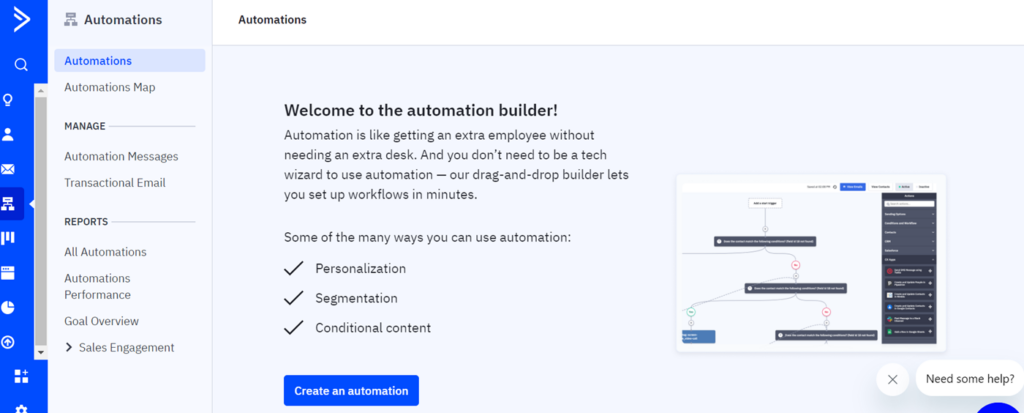
You can take this personalization to the next level with ActiveCampaign’s “Conditional Content” feature. Conditional Content allows you to show different content to your subscribers as they meet certain conditions. This means that you can send one email to audience segment A and another to segment B, but different sections or elements of the email can change based on certain conditions, such as their location, behavior, preferences, or other data you have about them.

According to a recent McKinsey survey, this level of personalization can increase your marketing ROI by 10 to 30 percent and boost your sales conversion rates by 10 to 15 percent.

If you’re new to marketing automation or don’t want to build your email automation from scratch, ActiveCampaign has over 850 ready-to-use automation templates and 150 pre-built email templates. With just one click, these templates can help you eliminate inefficient marketing and sales strategies.

Aside from being an effective email automation software, ActiveCampaign is a powerful CRM tool and will allow you to link up your sales and marketing data to set up automation for sales follow-ups. With this sales automation, your marketing and sales processes can collaborate to drive more revenue.

ActiveCampaign offers more than 900 integrations with third-party apps like Shopify, WordPress, Facebook, and even other CRMs like Salesforce. By integrating ActiveCampaign with your ecommerce platform, such as Shopify, you can effortlessly capture valuable customer data, monitor purchasing behavior, and send targeted emails to your mailing list. Doing this will not only increase customer loyalty but also boost sales.

Among the software’s great features, what hit the nail on the head for us during our evaluation was its advanced A/B testing capability. ActiveCampaign takes A/B testing a step further by enabling you to split-test different paths within a marketing automation sequence. For example, you can test if sending three emails to your leads is more effective than sending five or if a combination of email and SMS outperforms email only campaigns.
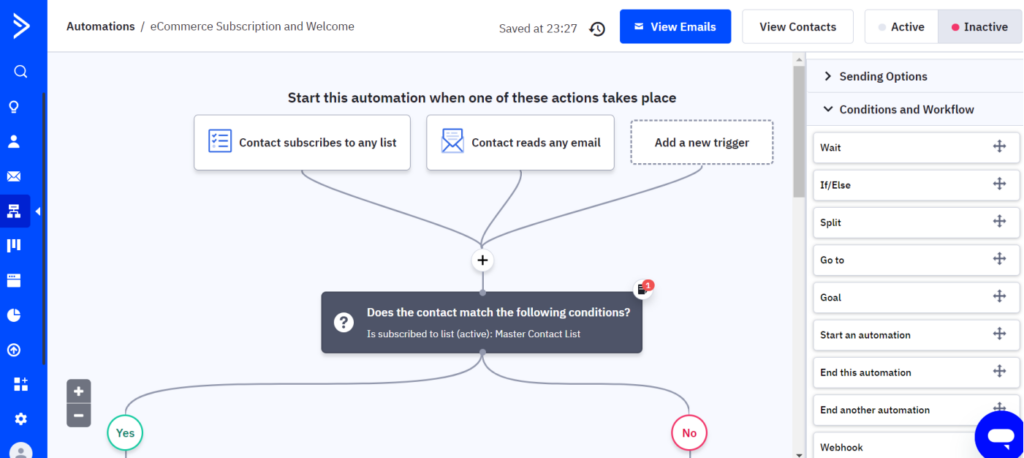
However, having these comprehensive and advanced tools on one platform can be a double-edged sword. On one hand, you have tons of functionalities at your disposal; on the other, familiarizing yourself with these many features can be overwhelming. Therefore, ActiveCampaign comes with a steeper learning curve than other email automation software on our list, as we discovered during our testing. So, it is better suited for intermediate or advanced CRM users.

Despite its extensive features, ActiveCampaign offers fairly reasonable pricing with unlimited emails for up to 250,000 contacts:

  • Lite: $29+ per month with 1000 contacts minimum
  • Plus: $49 per month with a minimum of 1000 contacts
  • Professional: $149+ per month with a minimum of 2500 contacts
  • Enterprise: Contact for information

However, beware that the pricing can significantly increase as you add more contact data. For example, the Lite plan starts at $29 for 1,000 contacts and gradually increases to $389 per month for 100,000 contacts while still offering the basic features of the Lite plan.

Generally, the pricing for each plan varies depending on your number of contacts and whether you choose to be billed annually or monthly. The discount for paying annually ranges from 20% to 30%, depending on the plan. Although it doesn’t offer a free plan, there’s a 14-day free trial to test the software.

To conclude, ActiveCampaign’s advanced features, combined with its proactive and robust security measures, solidify its position on our list. The automation platform’s commitment to security is evident in its practices, such as self-hacking for vulnerability identification, strict data classification and restriction, separate storage of user data, and compliance with the GDPR, SOC 2, and HIPAA guidelines.

These security implementations and high ratings of 4.5/5 on both G2 and Software Advice further validate our conclusion that ActiveCampaign ranks among the top email automation software.

3. Campaign Monitor

Founded: 2004
HQ: Nashville, Tennessee, USA

Key Info

Price: Starts at $11
Free plan: No; Trial: Available
Support: Email

Best For

Small business email marketing teams looking for basic email marketing automation tools

Pros

+ Has a pay per campaign option which is great for businesses that only run a few campaigns
+ Offers many features for creating and sending bulk emails
+ Easy to upload, preview and edit custom emails

Cons

– The email templates support only minimal customizations
– While the software handles all basic tasks well, it lacks some advanced features like targeted resending
– The usage based pricing model scales costs rapidly

Integrations

Salesforce, WordPress, Shopify, Intercom, AdRoll and 250+ others

Pricing Model

Lite: $11/month
Essentials: $19/month
Premier: $149/month

Used by over 200,000 companies globally, Campaign Monitor is an efficient email marketing automation option for growing businesses and is especially popular among eCommerce businesses. It offers the essential tools you’d expect for an email automation software. You can send transactional emails, run drip campaigns, add custom template design and content customization, do A/B testing, social sharing, and real-time analytics.
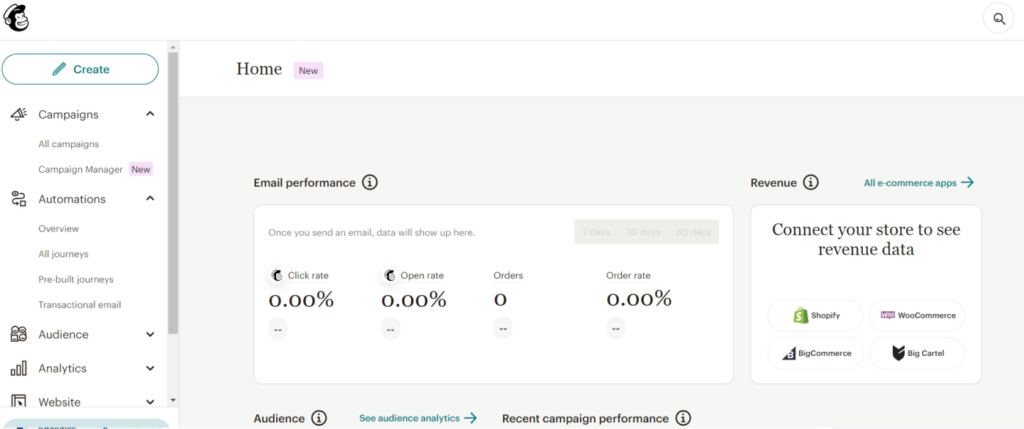
Although it may lack some advanced features offered by other email automation software on this list, it efficiently covers the basics – composing emails, setting up drip campaigns, sending transactional emails, creating simple automation and tracking performance. Its user-friendly drag-and-drop builder and dynamic segmentation enable you to send relevant emails easily, even with little experience. Unlike ActiveCampaign, Campaign Monitor’s simple design quickly gets you up and running, making it ideal for beginners.

However, as your marketing needs evolve and become more sophisticated, Campaign Monitor may not scale accordingly. This is evident in how many user reviews initially commend its simplicity and effectiveness for managing a few lists and sending straightforward emails, but as their needs expand, these same users find this initial simplicity a limitation.

While Campaign Monitor is a simple email automation software, its security measures are quite robust. Prioritizing user data protection, it uses the NIST CyberSecurity Framework and encryption for data in transit and at rest. Users can also enhance account security with multi-factor authentication. Additionally, compliance with standards such as HIPAA, ISO 27001, FISMA/NIST by the data center provider, and PCI-DSS, ISO 27001, SOC 1/2/3 by the cloud provider further proves the platform’s commitment to security.

Apart from its robust security measures, another aspect where Campaign Monitor shines is its personalization tool. This tool allows you to leverage customer data to deliver targeted emails. The platform’s seamless integration with websites, business applications, and e-commerce platforms such as Shopify and WordPress simplifies the data import process, making your personalization efforts more straightforward.

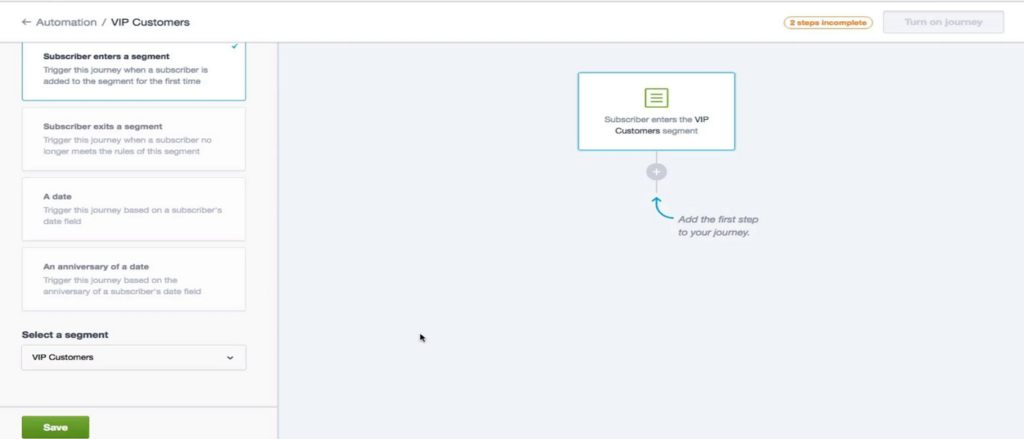
To take this a step further, its visual marketing automation tool allows you to design a unique customer journey tailored to individual interests and behaviors. This way, you can deliver your personalized messages at the perfect moment. This capability to customize messages using customer data, also known as audience segmentation, is highly beneficial for customer loyalty and retention.

In addition to optimizing your campaigns, Campaign Monitor helps you track results with a decent analytics suite. Its analytics features contain tools that help you monitor customer responses to your emails effectively. You can leverage this information to make necessary strategic adjustments.

Before deciding if this is the right tool for your needs, you can test all these functionalities with their limited free plan. If it’s a good fit, you can choose from one of their three paid monthly packages, starting at $11 for the Lite plan, $19 for the Essential plan, and $149 for the Premier plan. However, these prices are limited to 2,500 monthly send volume and 500 contacts. Increasing these numbers comes with additional costs.

Although the Lite plan provides adequate email marketing automation features, we recommend opting for the Essential plan if it fits your budget. It offers a design and spam testing feature that runs your campaign against common spam filters to identify potential deliverability issues. This feature is vital as you wouldn’t want your well-optimized emails to land in customers’ spam folders where they never see them. Additionally, the Essential plan also includes contact list management, allowing you to segment your audiences and create non-marketing contact lists for vendors and business partners.

Overall, with a 4.1/5 rating on G2 and a 4.5/5 rating on Software Advice, Campaign Monitor delivers on all its promises. However, if your needs require a more robust tool, you may need to consider different email automation software options.

4. Klaviyo

Founded: 2012
HQ: Boston, Massachusetts, USA

Key Info

Price: Starts at $0
Free plan: Yes; Trial: No
Support: Phone & Email

Best For

Ecommerce businesses looking to up their email marketing game

Pros

+ Automatically segments customers based on data and attributes
+ Klaviyo’s reporting and analytics features are top-notch, providing valuable insights into the performance of email campaigns
+ Supports Creation of dynamic emails by connecting data feeds

Cons

– The pricing can be a bit steep for smaller businesses or those just starting out
– The automations sometimes

Integrations

300+ pre-built integrations including Shopify, WooCommerce, Salesforce commerce cloud

Pricing Model

Email & SMS: $20/month (Scales with usage)
Email: $35/month (Scales with usage)

Among the numerous email automation software, only a few focus exclusively on marketing automation for eCommerce businesses, and Klaviyo is one of them. If you manage an eCommerce site or serve on an eCommerce marketing or sales team, it makes sense to choose an email automation software that seamlessly integrates with your eCommerce platform.

Used by over 100,000 eCommerce businesses, Klaviyo stands out not only for its quick setup due to native integrations with platforms like Shopify, WooCommerce, and Magento but also for its impressive features.

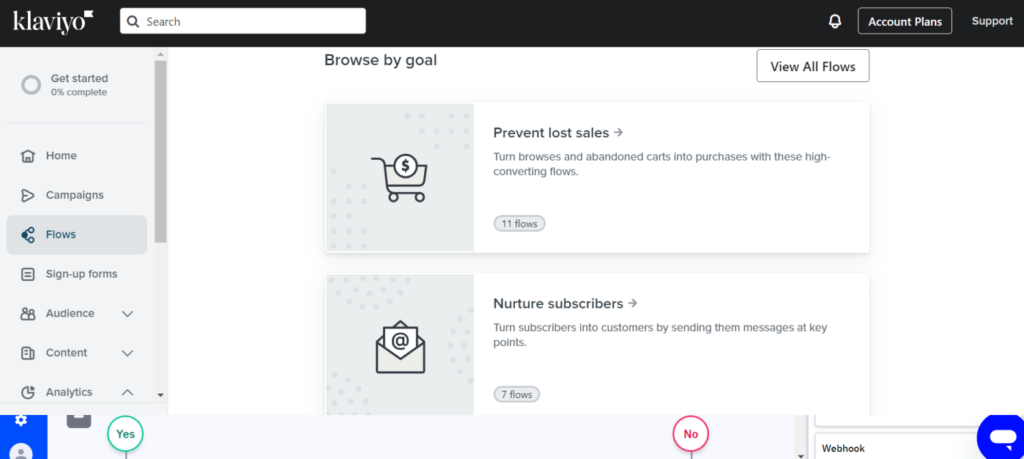
Its features are thoughtfully designed to enhance eCommerce marketing. With over 300 pre-built integrations and tons of pre-built automation workflows, Klaviyo handles various eCommerce business needs — from increasing cross-sells and upsells to reducing cart abandonment.

Klaviyo also offers transactional emails and customizable templates. The quality and design of these templates are among the most visually attractive emails we’ve encountered. This attention to detail is another reason Klaviyo is a top email automation software for eCommerce businesses.

Klaviyo’s capabilities extend beyond email automation, and if your marketing campaign strategy involves a mix of email, SMS outreach, you’re in good hands. The platform is designed to accommodate multichannel automation campaigns, making it simple to maintain a consistent message across platforms. It can even send mobile push notifications to engage customers with offers and reduce cart abandonment.

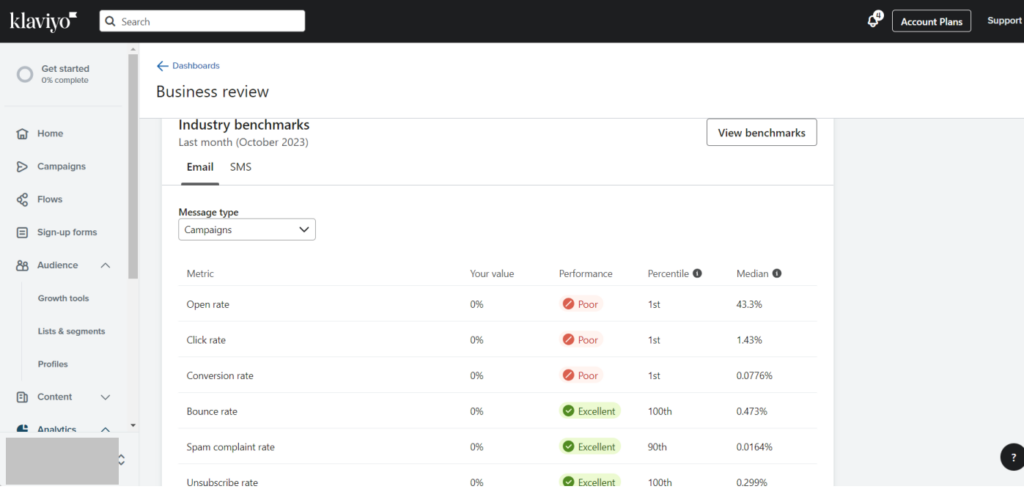
While testing the platform, one feature that stood out for us even beyond the platform’s flexibility and attention to detail is the Benchmarks feature. Benchmarks provide a comparative analysis of your performance over time against companies within the same niche. Since Klaviyo has over 100K paying customers, its e-commerce email marketing metrics are highly reliable.

This analysis from the benchmarks feature provides insights into where you rank in terms of open rates, click rates, conversion rates, and revenue per recipient compared to your industry’s average. As you track these metrics over time, you can measure the success of your marketing strategies and realize what works and what needs adjustment for small business owners.

Furthermore, due to the sensitivity of the business information being handled on the platform, Klaviyo has implemented several technical and organizational data protection and security measures. These measures include two-step authentication, user access reviews, and encryption technologies. Although the platform has experienced a security breach in the past, they have taken steps to improve its security measures and prevent future violations.

Despite Klaviyo’s impressive performance offerings, their customer support service somewhat lessens the overall experience. While we found their responses helpful, the response time was noticeably longer when we reached out to them. This could be a drawback, especially for e-commerce businesses, where every second of downtime can significantly affect operations and revenue.

Despite the minor hiccup with customer service, getting started with Klaviyo is a smooth process. You can either schedule a demo to familiarize yourself with its features or dive right in with a free account. The free plan accommodates up to 250 subscribers, and for larger audiences, the paid pricing plans start at $20 and can go as high as $2300.

For beginners, the $45/month plan is an excellent starting point. It allows you to add up to 1,500 contacts and send 15,000 emails monthly. This plan also includes 150 complimentary SMS/MMS credits monthly, so you can use multiple communication channels within a single powerful tool.

Generally, Klaviyo frequently gathers positive reviews from users for its robust automation features, especially its seamless integrations and insightful analytics and recommendations. As expected, there’s a significant critique regarding the slow customer support, but the platform Klaviyo still holds a strong standing in the market for marketing automation tools with a high rating of 4.6/5 on G2 and 4.5/5 on Software Advice.

5. MailChimp

Founded: 2001
HQ: Atalanta, Georgia, USA

Key Info

Price: Starts at $0
Free plan: Yes; Trial: No
Support: Email

Best For

Businesses looking for an affordable email marketing automation platform

Pros

+ Can personalize the style of emails at a very granular level
+ Has one click setup for various features like such as configuring welcome emails, managing unsubscribes and crafting signup forms
+ Native integrations with almost all e-commerce platforms

Cons

– Pricing can be high for users with a small email list
– Outside of email builder, the platform is focused on standardization and customizing an automation workflow outside their template is very tedious and sometimes impossible
– The AI feature is not very robust

Integrations

Zendesk, WordPress, Quickbooks, Stripe, and 300+ more

Pricing Model

Essentials: $9.20/month
Standard: $13.74/month
Premium: $274.81/month

Formerly an exclusive newsletter service, Mailchimp has evolved to become one of the most popular email marketing services worldwide. It is now a comprehensive CRM platform that provides the tools you need to create everything from landing pages and lead capture forms to re-targeting ads and predictive list segmentation. It even allows you to build customer journey automation.

What makes Mailchimp so enjoyable to use is its ability to deliver these advanced email marketing services without being overly complex or confusing.

One of these advanced features is predictive list segmentation. This feature uses data analysis to help you identify potential repeat customers and predict their buying behavior.

For example, if a segment of your subscribers consistently engages with emails about a particular product category, predictive list segmentation can help you identify this trend. With this insight, you could automate emails to target these subscribers with personalized offers on similar products, enhancing customer engagement and retention.

However, the setback we encountered with this feature is the restrictions on the number of lists you can create and how accurately you can segment your audience. Therefore, to fully leverage its abilities, you need to have a clear understanding of your customer avatar.

While Mailchimp’s predictive list segmentation is, without a doubt, valuable, another feature that truly caught our attention during our test is the customer journey builder. This feature recommends new ways to engage with your audience and quickly implement marketing automation strategies unique to your business needs.

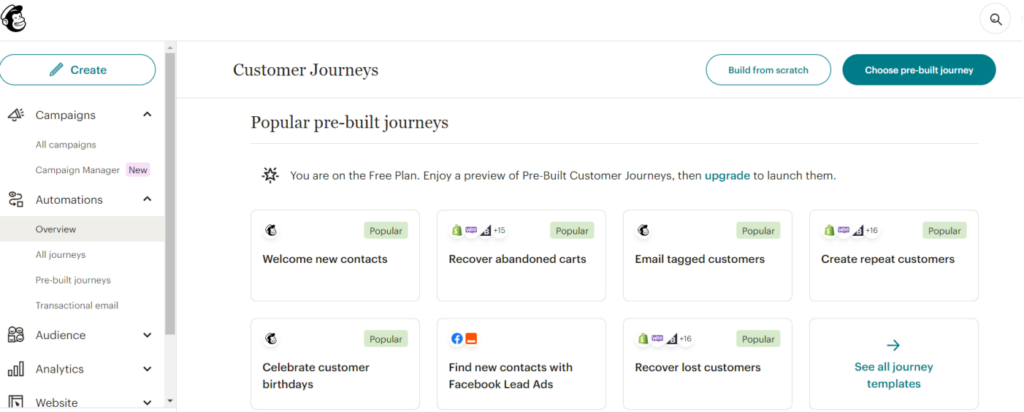
It comes with pre-built automation journeys that cater to various needs, such as customer feedback collection, up-selling opportunities, and abandoned cart reminders. In fact, according to Mailchimp, users experience up to a 127% increase in click rates when they use automated emails designed in the customer journey builder, compared to generic bulk emails.

Mailchimp’s automation suite is packed with ready-made automation that can be tailored to your specific goals. For example, you can effortlessly set up a product retargeting series that encourages customers to purchase an item they viewed on a business’s website.

In addition, the platform has over 100 customizable email templates that cater to most businesses’ basic automation needs. However, despite these strengths, we noticed the automation capabilities are not as comprehensive as other CRM solutions like HubSpot, and the templates do not offer enough flexibility.

Mailchimp’s email automation features come in an affordable package with paid plans starting at $6.50, making it a great option if you need an email automation software to help you scale on a low budget. But like every email automation software, the cost increases as you add new subscribers.

If you are not ready to shell out any cash yet, Mailchimp also offers the most generous free plan on this list, with 1,000 emails and up to 500 subscribers. However, this plan is limited in features such as send-time optimization, advanced segmentation, and multivariate testing, as well as additional features that are perfect for abandonment cart recovery, win-back emails, feedback and order confirmation emails, and more. It also places Mailchimp branding in your emails, which may not align with your professional aesthetic.

As your email list grows, and you’re ready to start spending; you can purchase plans for 1,500 to 250,000 emails monthly. Once you upgrade to the first paid plan, you can access advanced tools like A/B testing and email campaign reports. These reports contain information on your email campaign’s performance, including open and click rates, unsubscribes, and more, so you can make informed decisions and collect valuable email addresses.

Even though Mailchimp provides robust features at a cost-effective price, it doesn’t cut corners regarding security. Mailchimp prioritizes data security and privacy through measures like encryption, brute force protection, regular external and internal security checks, and additional user security features. These security measures are regularly audited against industry standards by independent and internal auditors.

Overall, Mailchimp is highly regarded for its reliability, particularly in database management and analytics, as reflected in user reviews. However, it falls short on email design flexibility and more advanced CRM features. Regardless, it holds a 4.4/5 rating on G2 and 4.5/5 on Software Advice.

6. HubSpot

Founded: 2006
HQ: Cambridge, Massachusetts, USA

Key Info

Price: Starts at $0
Free plan: Yes; Trial: 14 days

Best For

Large enterprises and B2B sales teams looking for a comprehensive marketing automation solution

Pros

+ Provides detailed analytics on campaign performance. Reports and custom dashboards are provided for each campaign
+ Platform is robust and can support large email marketing campaigns
+ The AI-driven tools for generating copy are impressive

Cons

– The pricing can be a bit high, for businesses or startups on a tight budget
– Automation workflows can be confusing and hard to understand at times
– Has a steep learning curve for some users

Integrations

1400+ apps including email service providers like Gmail and other popular tools like Google Calendar, WordPress, Mailchimp, Mailerlite

Pricing Model

Starter: $18/month
Professional: $1,600/month
Enterprise: $5,000/month

HubSpot is a popular CRM that’s often used for email marketing automation and comes equipped with enterprise-level features like advanced marketing automation, send-time optimization, comprehensive performance analytics, email deliverability, drip campaigns, A/B testing, and more.

Although the full feature set of HubSpot can get extremely expensive, it provides a highly comprehensive all-in-one marketing solution that may justify the investment. This comprehensive platform goes beyond email marketing to include a CRM, sales tools, an operation hub, automation workflows, a website builder, and more.

By integrating your marketing, website, and sales activities seamlessly, HubSpot can accurately trace which campaigns are contributing to your sales, so you can channel your efforts into strategies that yield results. Doing this not only saves your time and resources but also increases your ROI.

HubSpot email automation software’s native integration with the HubSpot CRM enables you to personalize emails for subscribers on your email list based on their information.

However, integrating a separate CRM, like Salesforce or Pipedrive, with this email automation software can be challenging due to the complicated technical procedures it often involves. So if you are using other CRMs and just want HubSpot for its email marketing service, you may need to allocate additional resources and time to set up and maintain the integration.

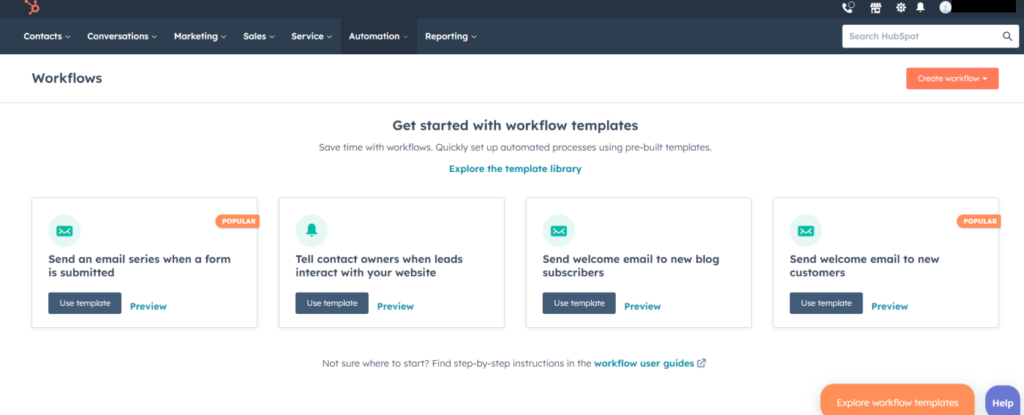
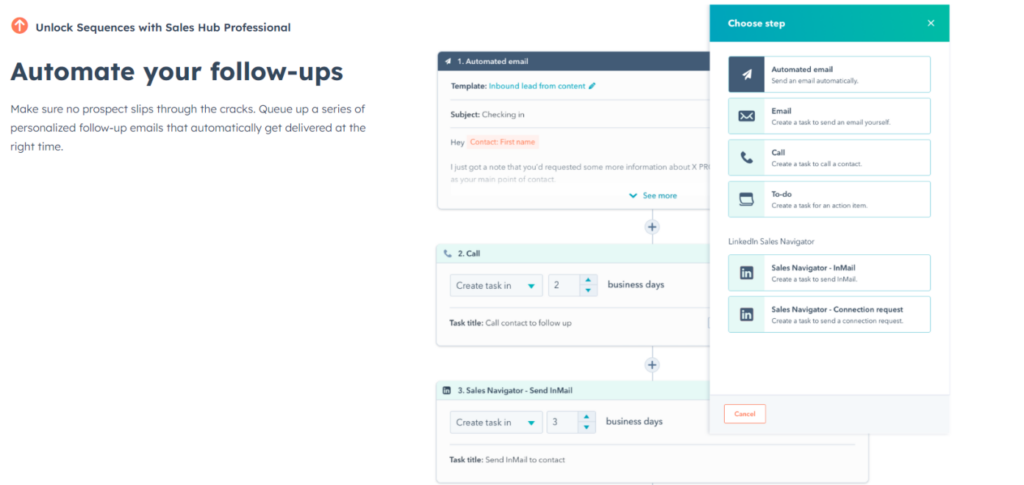
Building drip campaigns is a quick and straightforward process with the intuitive drag-and-drop email builder and collection of email templates. The software also features an advanced yet easy-to-use visual editor, allowing you to create and edit automation workflows using a visual interface, including a drag-and-drop editor. This makes building automation quick and straightforward, letting you envision your marketing automation in real time, no matter how complex.

Despite HubSpot’s top-tier automation features, the pricing structure dampens the enthusiasm. The entry-level plans are affordable and well-suited for solopreneurs, but the Professional and Enterprise plans are a different story altogether. The pricing for these plans escalate sharply, running into thousands of dollars per month, depending on your email list size.

However, if you’re a large business with a substantial budget, HubSpot is a perfect email automation software choice for you. On the higher-tier pricing plans, you’ll get many advanced features, including omnichannel marketing automation workflows, account-based marketing tools, dynamic personalization, lead scoring, blog, and more.

You’ll get enough value for your money if you can fully exploit these extensive features and if your business offers high-value services, typically in the B2B sector, where even a minor increase in sales can lead to a substantial boost in revenue.

HubSpot understands the importance of trust in business and has implemented an end-to-end approach to data security, privacy, and control in its products, including marketing automation software. HubSpot’s security infrastructure is designed to keep customer data safe with tools that ensure teams achieve compliance with all important regulations.

To sum up, user reviews attest to HubSpot’s effectiveness as a central marketing hub for organizations, although the steep learning curve that comes with it can make it feel overwhelming to use. The pricing is another aspect that some users find challenging. However, with solid ratings of 4.4/5 on G2 and 4.5/5 on Software Advice, the overall user sentiment remains largely positive, attesting to the marketing software’s value in the industry.

How to pick the right email marketing automation software?

In wrapping up this exploration into email automation in 2024, we’ve unearthed the transformative potential of modern email marketing software solution. Beyond the rudimentary “set and forget” mentality of earlier times, today’s software is adept at creating deeply personalized, dynamic, and responsive email sequences that resonate with the recipients and potential customers. We’ve learned that a powerful email designer, an abundance of flexible templates, and advanced automation capabilities, especially for sales teams, are the linchpins of any top-tier email automation platform. Furthermore, the application of these tools can manifest in various strategic avenues—be it personalized customer journeys, abandoned cart recovery, or celebrating user milestones.

So, what’s next for you? If you’re in the market for an email automation software, take a moment to reflect on your business’s unique needs and how they align with the features spotlighted today. And if you’re already using one, perhaps it’s time to revisit and harness its fuller potential. In this ever-evolving digital landscape, staying ahead means continuously learning, adapting, and leveraging the best tools at your disposal. Dive deep, experiment, and watch as email automation propels your business to new heights.

Shape Software all-in-one CRM logo

Our Top Pick - Shape

stars-yellow

4.8/5 - from 2,000+ reviews

All-in-one software for marketing, sales, customer service, CRM, and operations. Improve communication and maximize your business.
1

Need more business advice? Take your pick from one of our many well-researched articles

Please note: All pricing mentioned in this article is based on information available as of 13-12-2023 and sourced from the respective companies’ public pricing pages. While we strive for accuracy, we recommend verifying with the specific company for the most up-to-date details.

Tags:

CRM Best Practices
Integration & Automation
Sales Strategy & Enablement

Social:

get started shape software woman pointing

Get started with Shape today